

I run three service businesses out of hrglass every day: web design, videography, and photography. I built the app because I needed it for my own work, and invoicing is where I’ve seen more new freelancers trip themselves up than almost anywhere else.
You landed the client. The work is done, or almost done, and it’s good. Now comes the part nobody really teaches you: getting paid for it.
Whether you’re a web designer, photographer, videographer, social media manager, consultant, or graphic designer, invoicing is the one skill that separates a hobby from a business. Here’s the uncomfortable part: research from FreshBooks found that somewhere between 50 and 70 percent of freelance invoices go out late. Not unpaid, late. Which usually means the invoice itself, how it’s built, sent, and tracked, is the actual problem, not the client.
So here’s how to invoice clients the right way from your very first project, and what actually matters once you start comparing business tools for freelancers and service professionals down the road.
What Actually Needs to Be on a Client Invoice

I’ve sent a lot of invoices at this point, across three different kinds of businesses, and the core pieces never change:
- Your business name and contact info, even if “your business” is just you
- Client name and billing details
- A unique invoice number, so you can track it later
- Itemized services, not just a lump sum. If you’re a graphic designer, that might be logo design, revisions, and file delivery as separate lines. On my video projects, filming, editing, and licensing usually bill differently and need their own lines
- Invoice date and due date, spelled out clearly, not implied
- Payment terms, like Net 15, Net 30, or due on receipt for smaller jobs
- Expenses, tracked and shown as their own line items, not folded into a vague “materials” charge. If you drove to a shoot or bought a prop, that belongs on the invoice as its own line, not absorbed into your rate
- Taxes, sales tax for your state or VAT if it applies to you, calculated and shown clearly instead of guessed at or left off entirely
- How to pay, meaning an actual link or method, not “let me know and I’ll send details”
That last one matters more than people think. A client who has to ask you how to pay is a client whose payment just got delayed by however long it takes you to answer that email.
When to Send the Invoice
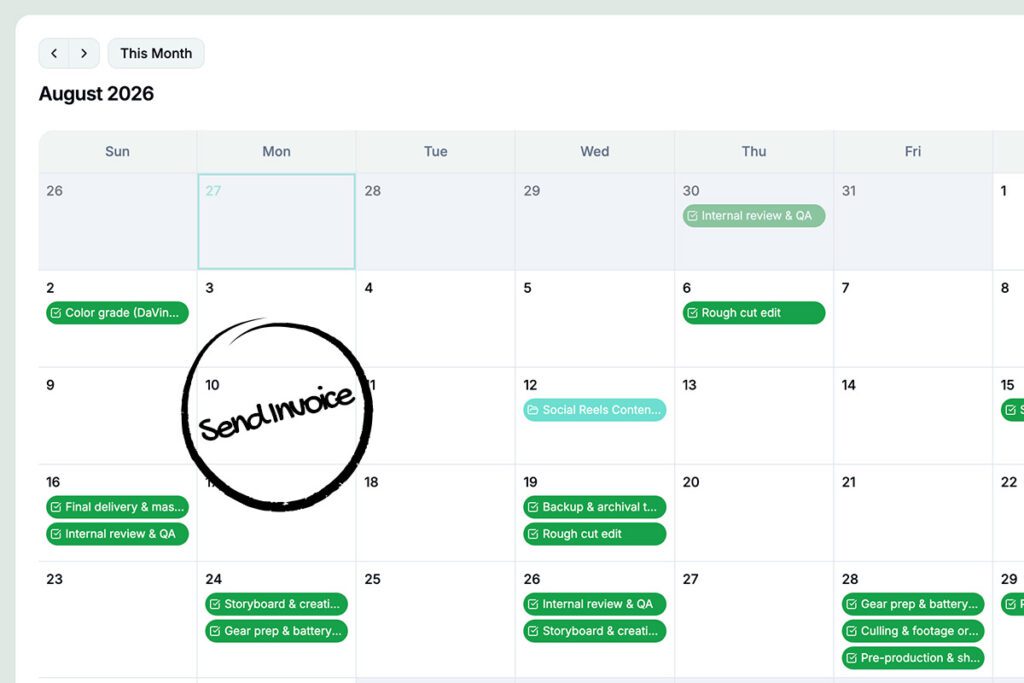
Send it the moment the work is done, or at the milestone you agreed to. Same day if you can manage it. The value is fresh in the client’s mind, and they haven’t moved on to their next fire yet.
For bigger or ongoing work, don’t wait until the very end. Break it into a deposit up front, a milestone payment, and a final invoice on delivery. I do this on every video project I take on, and it’s just as useful for a web design retainer or a multi-month consulting engagement.
Here’s the part that trips people up more than the timing itself: knowing what’s actually ready to bill. If you’ve got tasks with a price attached, expenses logged, and hours tracked scattered across a few different projects, it’s easy to lose track of what’s billable versus what you’ve already invoiced. Before you send anything, you want a clear view of what’s done, priced, and still sitting unbilled, so you’re not double-invoicing the same task or forgetting one entirely.
A Quick Gut Check

Before we get into tools, answer these honestly. I asked myself the same questions a few years ago.
Are you tracking who owes you what in a spreadsheet? It works until it doesn’t. One missed row, one client you forgot to follow up with, and you’ve either underbilled or gone weeks without noticing an invoice was never paid. I did this for longer than I’d like to admit.
Are you copying and pasting from a Google Doc or PDF template every time you invoice someone? That’s an hour of your week gone to formatting instead of billable work, and every version drifts a little further from the last one. Worse, there’s no record of what’s been sent, opened, or paid without you checking manually.
Are your clients only paying you through Venmo or Cash App? Fine for a one-off favor. Not great for a real business. There’s no invoice trail for taxes, no professional record of the transaction, and it quietly signals “side hustle” to a client who might otherwise trust you with bigger, higher-paying work.
If you answered yes to any of those, you’re not doing anything wrong, that’s genuinely how most people start. But it’s also exactly the point where switching to a real system pays for itself fast.
How to Get Clients to Pay You Online Without It Being Awkward

Asking “how do I want to get paid” is really asking “how do I make this easy and trustworthy for my client.” A few things I’ve learned matter here:
- Offer a real online payment method built into the invoice: credit card or ACH bank transfer. A Pay Now button converts faster than asking someone to Venmo or Zelle a stranger.
- Make the invoice look like it came from a real business. Consistent branding builds the same trust a professional website does. A generic black-and-white template reads as less established, even when the work behind it is excellent.
- Automate the follow-up. A polite reminder sent automatically a few days past due gets money moving without you having to send an awkward “just checking in” email yourself.
What I’d Actually Look For in an Invoicing Tool
Once you outgrow the spreadsheet-and-template phase, most people go shopping for invoicing software and end up choosing between two flawed options. I tried most of them before I built my own.
Time-tracking tools like Harvest handle invoicing well, but project and task management is thin. Projects usually can’t mix billing types, hourly, fixed rate, non-billable, inside the same project, which becomes a problem the moment your work isn’t perfectly uniform.
Project management tools like Monday.com, Asana, and Trello are genuinely good at organizing the work itself, but none of them invoice. You’d still need to bolt on a separate tool like QuickBooks, which means a second subscription, a second login, and manual reconciling between the two.
Bonsai and Paymo get closer, combining project tools with invoicing. But Bonsai gates useful features like expense markup behind its top-tier plan, and Paymo restricts Stripe to non-US users, pushing US freelancers toward a payment gateway their clients don’t recognize.
The gap in all of them is the same: managing the work and getting paid for the work live in two different places, or one of those two things is missing entirely.
Where hrglass Fits
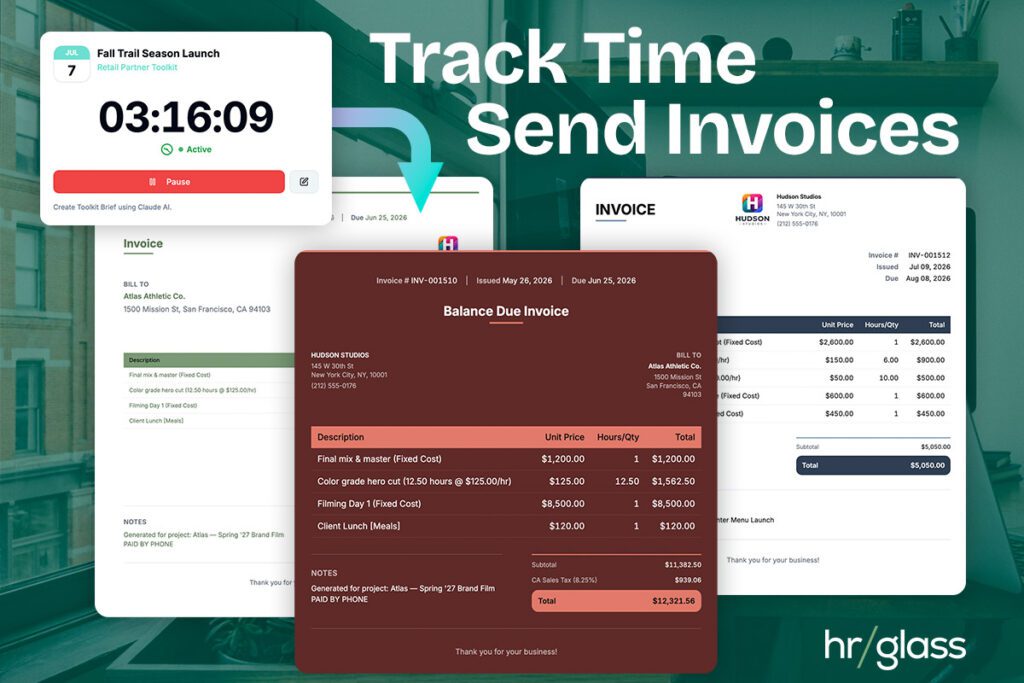
This is why I built hrglass the way I did. You create tasks with different billing types, hourly, fixed rate, or non-billable, organize them under a project, and when it’s time to bill, invoice a single project or pull tasks from multiple projects into one combined invoice. That’s the moment it clicks for most people who try it: watching a mixed-billing, multi-project invoice generate correctly on the first try, instead of the workaround-and-hope approach most tools force.
hrglass invoices are also fully brandable: your logo, your colors, your theme, not a generic template with your name pasted on top. Clients pay directly through the invoice by credit card or ACH, and payment status updates automatically so you’re not guessing who’s paid and who isn’t.
I use it for my own web design, videography, and photography work every day, which is honestly the best quality control I have. If something’s clunky, I run into it before a client does. It’s not just creative freelancers running on hrglass either. Consultants, web developers, tradespeople in construction, and real estate agents are all using it right now, each billing a little differently, and that mix is exactly what keeps pushing the app toward faster, simpler ways to manage projects and get paid.
Try Before You Commit: Free Invoice Maker
If you’re not ready to change your whole workflow yet, start smaller.
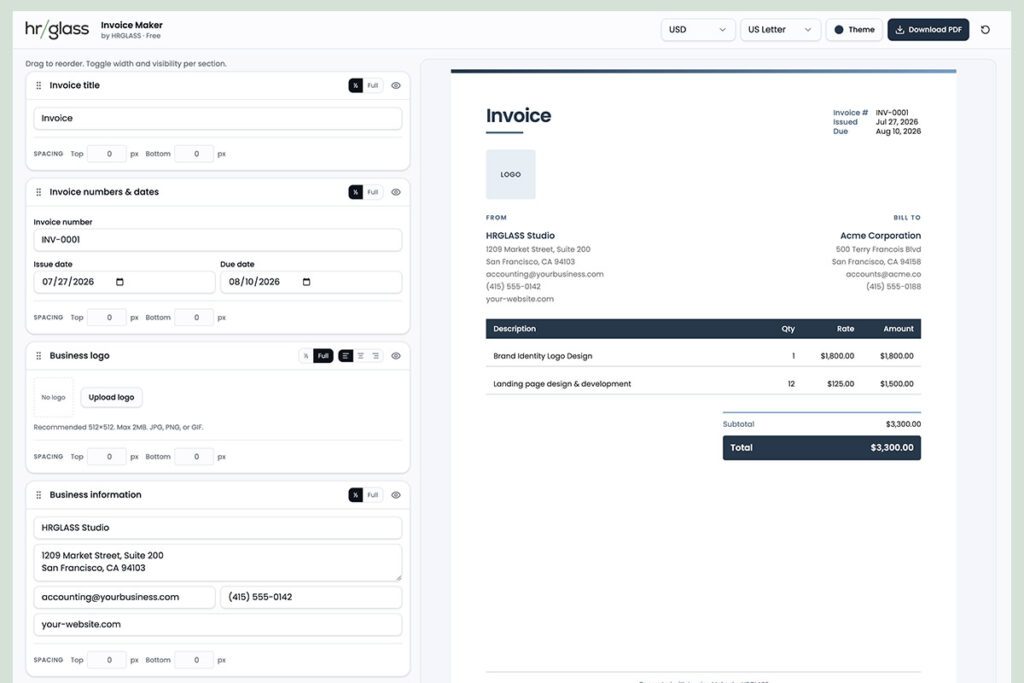
The free hrglass Invoice Maker lets you build and send a professional, branded invoice in a couple of minutes, no account required. It’s a good way to see what a properly built invoice actually looks like before deciding whether you want the full project-to-payment workflow behind it.
Getting Started
hrglass runs on a 14-day free trial, no credit card required, and every plan includes the full feature set. There’s no “upgrade to unlock invoicing” moment waiting for you later, and pricing sits below what most tools in this category charge for the same functionality. Project management, task tracking, estimates, invoicing, and online payments, all in one place, priced for someone just starting out, not an agency.

Frequently Asked Questions
FAQ: Invoicing Clients as a New Freelancer
How do I invoice a client for the first time?
Include your business info, the client’s info, an itemized breakdown of the work, a due date, payment terms, and a clear way to pay. Send it the day the work is finished or the milestone is hit.
What’s the fastest way to get clients to pay online?
Give them a direct Pay Now option on the invoice itself, credit card or ACH, instead of asking them to send money through a separate app. The fewer steps between reading the invoice and paying it, the faster it gets paid.
Do I need invoicing software when I’m just starting out?
Not for your first invoice or two. Once you’re managing more than one or two clients, a tool that connects your projects and tasks directly to invoicing saves hours and prevents billing mistakes.
Can I combine multiple projects into a single invoice?
In hrglass, yes. Tasks across different projects can be pulled into one combined, branded invoice, something most invoicing and project management tools don’t support.
Can I use my own Stripe or PayPal account to get paid?
Yes. hrglass connects to your own Stripe and PayPal accounts, so payments go straight to you. You’re not routed through a third-party gateway your clients don’t recognize, and you keep full control of your own payment processor relationship.
Can I have more than one invoice layout or design?
Yes. hrglass includes multiple invoice templates you can pick from and customize with your own branding and colors, so you’re not stuck with one generic layout no matter how different your clients or project types are.