After several years running my own service business and burning through trials of nearly every project management app marketed at freelancers, I’ve come to a frustrating conclusion: most of them weren’t really built for us. They were built for teams, for agencies, for enterprises, then sold to freelancers with a “Solo” plan tacked on as an afterthought.
This isn’t a roundup of every PM app that exists. It’s a breakdown of the tools I’ve personally used, the gaps I kept running into, and what I actually look for now. Some of the names you’ll recognize. One of them is the tool I ended up building myself after nothing else fit. I’ll get to that.
The Freelancer Workflow Nobody Builds For
Before we talk about specific tools, here’s how a typical project actually looks for a solo service provider:
- A new client comes in and asks about a service
- You create an estimate with line items and send it for approval
- The estimate gets approved and becomes a project
- The project has multiple tasks, often with different billing types (some hourly, some fixed rate, some non-billable)
- You track time, log expenses, hit deadlines, update statuses
- You invoice, sometimes pulling from time tracked, sometimes flat rate, sometimes both in one invoice
- The client pays online through a payment gateway they actually trust
- You see the financial picture across all of it: what’s unbilled, what’s owed, what’s overdue, what’s coming up
Now layer on the reality: you’re not managing one project. You’re managing fifteen, across eight clients, all in different stages. That’s where most tools fall apart.
Harvest: Great at Half the Job
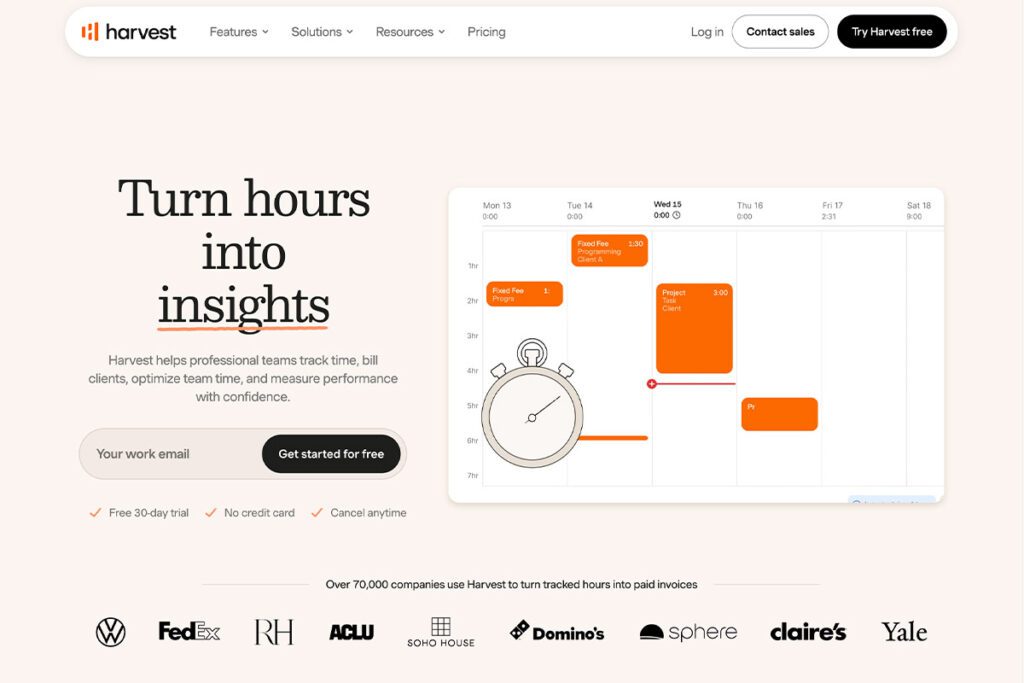
I used Harvest for several years. For time tracking and invoicing, it’s genuinely solid. Assign a project a fixed rate or hourly rate, run a timer, click two buttons, invoice goes out via Stripe or PayPal. Simple and clean. If that’s all you need, Harvest is a real recommendation from me.
Where Harvest broke down was project and task management, which barely exists. Projects only have two statuses: active or archived. No “In Progress,” no “Scheduled,” no “Completed.” Tasks aren’t really attached to projects either. You create global tasks and assign them to projects, which means you can’t have project-specific task labels.
My dealbreaker was that I couldn’t mix billing types within a single project. A project had to be all fixed rate, all hourly, or all non-billable. My actual work mixes those constantly, so I’d end up creating two or three “fake” projects for the same client just to handle one job. That’s not project management. That’s working around the tool.
monday.com: Built for Teams, Not You
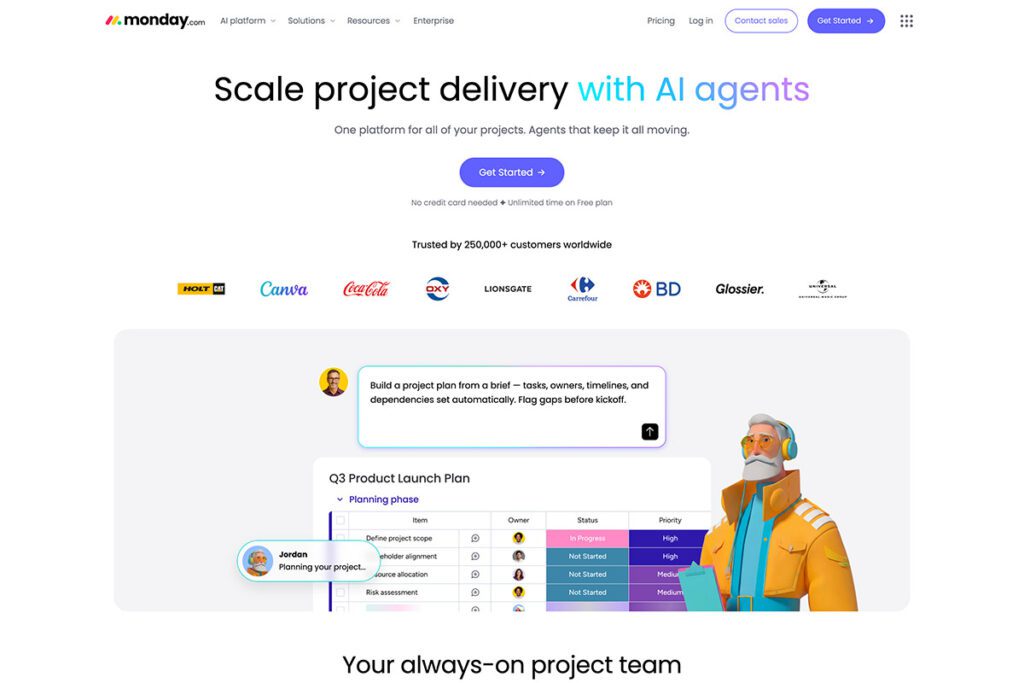
I gave monday.com a full year. It’s probably one of the best project and task management tools on the market right now. Dashboards, deadlines, charts, reports, automations, the works.
But it’s built for teams. The bottom paid plan requires three users minimum. As a solo operator, you’re paying for empty seats. And there’s no built-in invoicing. If you want to bill from monday.com, you bolt on QuickBooks or something similar, which means another subscription, another login, another tool to learn.
Comparing Harvest to monday.com is unfair, because they’re solving different problems for different people. But that’s the trap: every tool nails part of the freelance workflow and ignores the rest. You end up duct-taping three subscriptions together to cover one job.
Paymo and Bonsai: Almost There
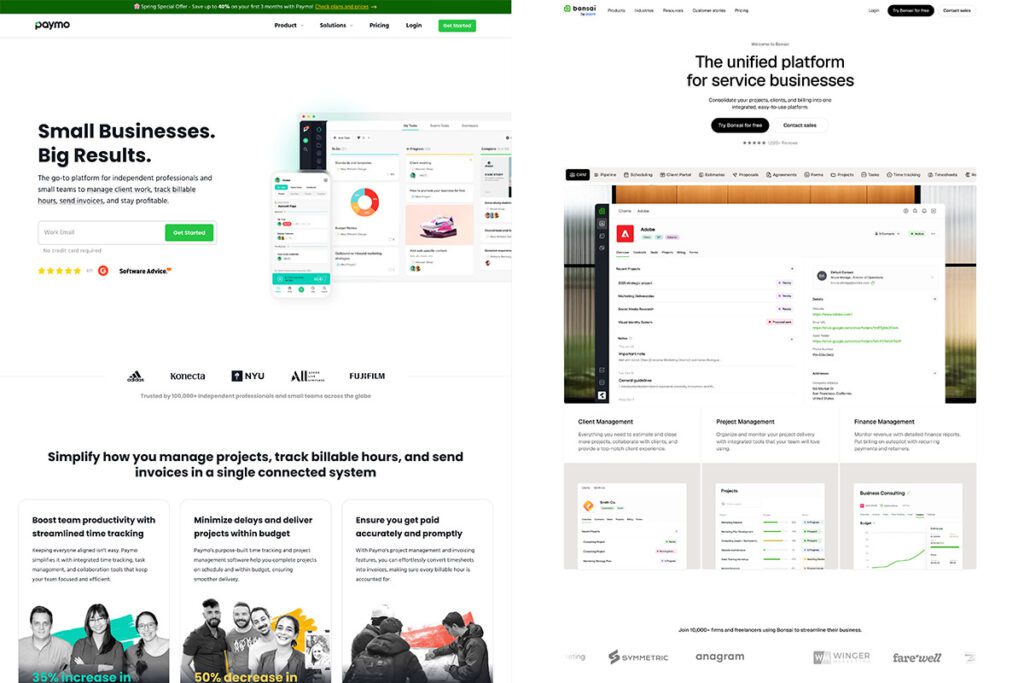
These two came the closest to fitting actual freelance work. Both have built-in invoicing. Both attempt real project and task management. Both lost me for different reasons.
Paymo lost me on payment gateways. When I tried to set up Stripe, support told me Stripe is only available to non-US users. US-based users have to use Paymo’s internal payment gateway. My clients don’t know Paymo. They know Stripe. Asking a client to send money through a payment processor they’ve never heard of is a non-starter. There’s no trust earned, and trust at the invoice stage is everything.
Bonsai lost me on feature-gating. It’s actually really close to what freelancers need. But key features sit behind their Elite plan. Expense markup, which I use constantly, is locked in the top tier. So to get a feature that should just be standard for a service business, you’re paying enterprise-tier pricing as a solo freelancer.
Asana, ClickUp, Basecamp: Missing the Freelance Brain
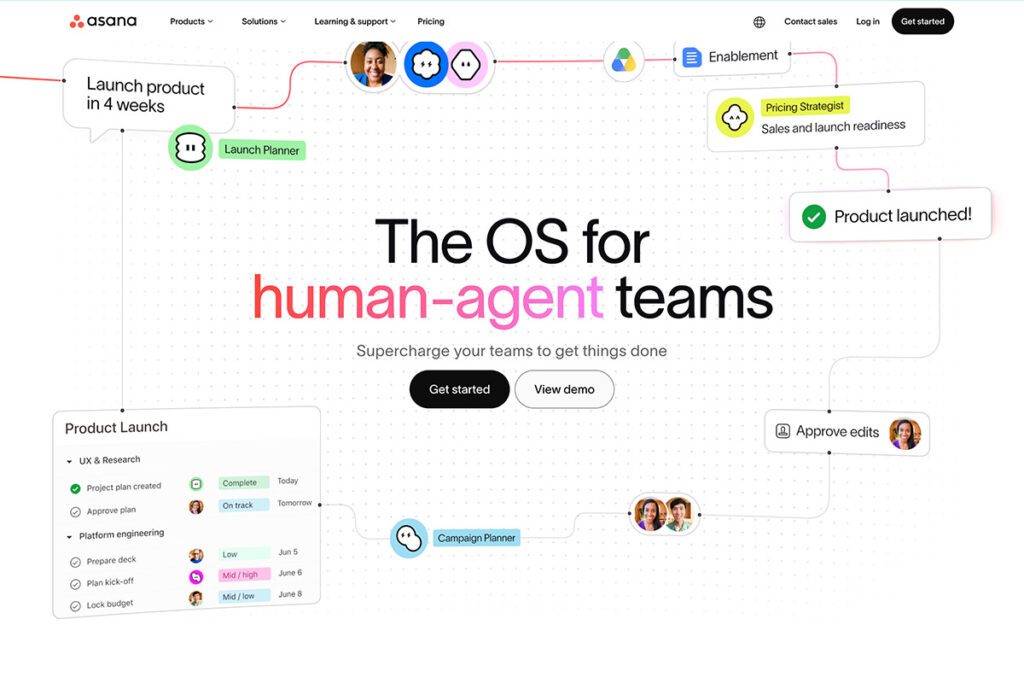
I trialed all three. They’re powerful, well-designed, and built around how teams collaborate. They’re not built around how a freelancer bills.
No fixed-rate tasks. No built-in invoicing. Pricing tiers that force you to upgrade twice just to unlock basic features. Single-user plans either don’t exist or come with so much stripped out that they’re functionally useless. For a freelancer, these are team collaboration tools with no business-side workflow.
The Real Scenario That Broke Every Tool I Tried
Here’s a workflow I run regularly. One client, ongoing videography and video editing. Each video is its own project. Inside one project, the tasks look like:
- Pre-production and scripting: hourly
- Videography (the shoot day): fixed rate
- Video editing: hourly
- Social media management for the deliverable: non-billable (it’s a relationship investment)
That’s four different billing structures inside one project. Now multiply by the same client having three or four video projects going at once. Now add five other clients with their own mixed-billing projects on top.
In Harvest, this is impossible. The project has to commit to one billing type. In monday.com, you can structure the tasks but there’s no invoicing layer, so you’re exporting and reconstructing everything in QuickBooks. In Asana, ClickUp, and Basecamp, you don’t even have the billing concept to start with.
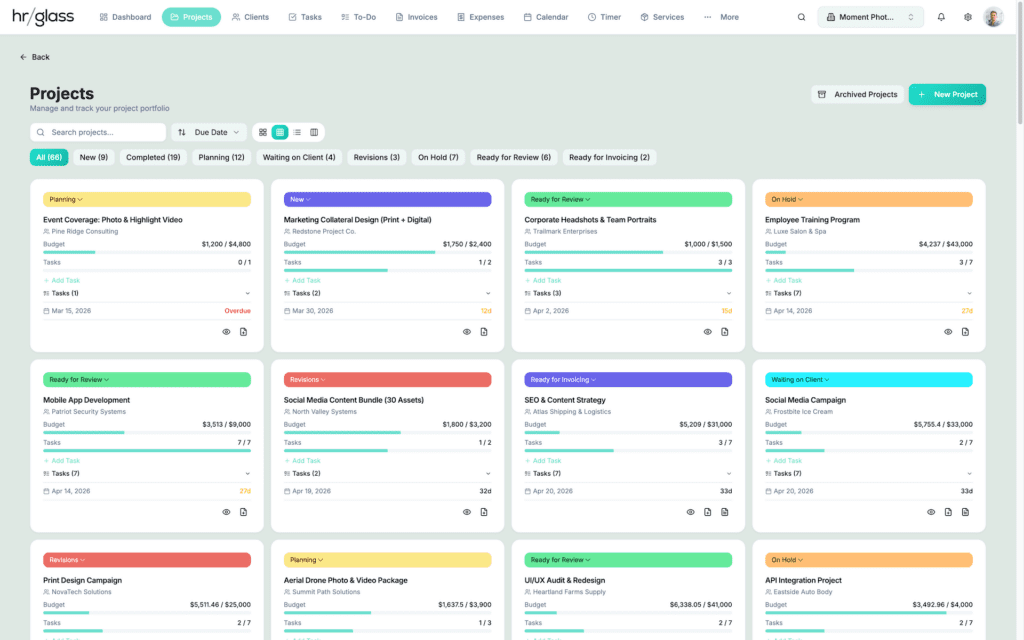
That moment, staring at a screen full of projects with no way to actually represent how my business worked, is what made me build hrglass.
HRGLASS – Project Management to Invoicing in One App
What I Built Into hrglass (And What That Tells You to Look For)
I’ll be upfront: I make hrglass. I’m not going to pretend otherwise. But I built it specifically to fix the gaps above, and the features I prioritized are the same features I’d tell any freelancer to look for in any tool. If another app does these things well, use that one. The point isn’t hrglass specifically. The point is that these are the things service-based freelance work actually needs.
Mixed billing inside a single project. Tasks can be hourly, fixed rate, or non-billable, and they all roll up into one invoice as line items. The videography scenario above is one project, one invoice, billed correctly.
A Service / Product catalog with global fixed rates. If you’re a wedding photographer charging the same rate every time, you set up the service once and drop it into any task. Stops you from rebuilding pricing every time you start a new project.
Estimates that auto-convert to projects. Client approves the estimate, the project gets built automatically with the same tasks and pricing. No re-entering anything.
Expenses with real-world options. Mileage, meals, markups, all tracked properly and auto-attached to invoices for reimbursement. This is the feature Bonsai gates behind Elite, which is wild to me given how core expense tracking is to a service business.
Project and task statuses you can actually see. Knowing at a glance which projects are in progress, scheduled, waiting on the client, or overdue is the difference between staying on top of your work and forgetting to bill for something three weeks after you delivered it.
Where hrglass Fits, and Where It Doesn’t
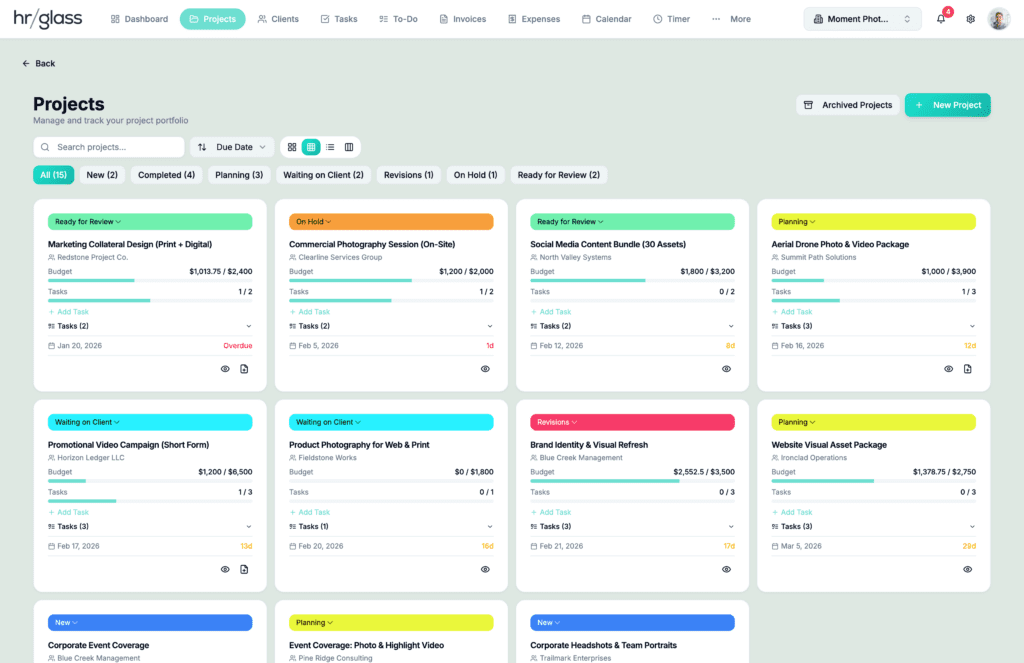
If you don’t need real project and task management at the core of your tool, hrglass is probably more than you need. If you only track hours and send invoices, Harvest or Toggl are simpler, and that simplicity is the feature. There’s nothing wrong with using a smaller tool if it covers what you actually do.
hrglass sits between the simple time-trackers and the heavy enterprise PM tools. It’s an all-in-one for freelancers who juggle multiple clients, multiple projects, mixed billing, and the full estimate-to-payment workflow without wanting to learn a system designed for a 50-person agency.
Pricing Red Flags to Watch For
The pricing models in this space are designed to confuse you. A few things to push back on:
Feature-gating the essentials. Invoicing, expense tracking, basic reporting — these aren’t premium features for a freelancer. They’re core to running the business. If a tool locks them behind a higher plan, that’s a signal.
Per-seat minimums. If the cheapest paid plan requires three users and you’re a team of one, you’re not the customer they’re building for.
Required upsells for normal payment gateways. If you can’t connect Stripe or PayPal without paying for the top tier, ask why.
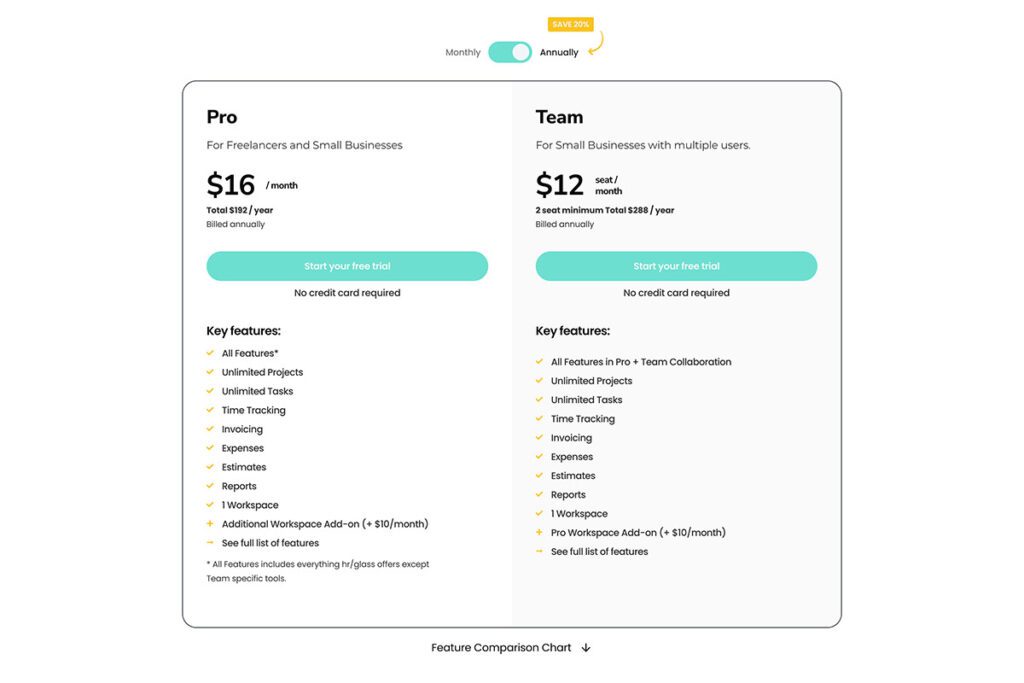
hrglass has two plans: Pro and Team. Pro gets every feature in the app. Team adds collaboration tools for people working with others, which a solo freelancer doesn’t need. Nothing essential is gated. That might change down the line as we add third-party integrations (API access costs us money, so a separate tier may make sense for that), but the philosophy stays: if it’s something a freelancer needs to run their business, it shouldn’t be locked away.
The Trial Checklist
If you’re about to start trialing PM tools, run every one of them through these questions:
- How do you actually want to manage projects, tasks, expenses, and invoicing? Some apps want you to work the way they work. Find one that adapts to you, not the other way around.
- Do you have tasks with different billing types inside one project? If yes, most tools will fail you. Test this on day one of the trial.
- Can your clients pay you through a gateway they recognize? Stripe and PayPal are table stakes. If they’re not supported, or only supported at the top tier, keep looking.
- Does the single-user plan actually include everything, or is it a stripped-down preview of the real product?
- Are you doing every job in your business yourself? Sales, service delivery, invoicing, follow-up, reporting? If yes, you need a tool that handles all of it without forcing you to bounce between five apps.
Red flags to spot fast: being forced into obscure payment processors, non-customizable dashboards, restricted reporting on lower plans, and any tool that hides invoicing or expense markup behind enterprise pricing.
When you trial something, don’t just poke around. Pretend you just landed your biggest client. Set up their project the way you’d actually run it. Add real tasks with the real billing structure. Track a fake expense. Generate an invoice and send it to yourself. That’s how you find out in ten minutes whether the tool is for you, instead of three months and a few hundred dollars in.
The Honest Answer
The best project management software for freelancers is the one that bends to how you actually work, lets you bill the way your projects are really structured, doesn’t gate the essentials behind enterprise pricing, and works at the scale of one person running a service business.
For some people, that’s Harvest. For some, it’s hrglass. For larger setups with a team, it might be monday.com.
Just don’t pay for a tool that was clearly built for someone else.