
Time Tracking
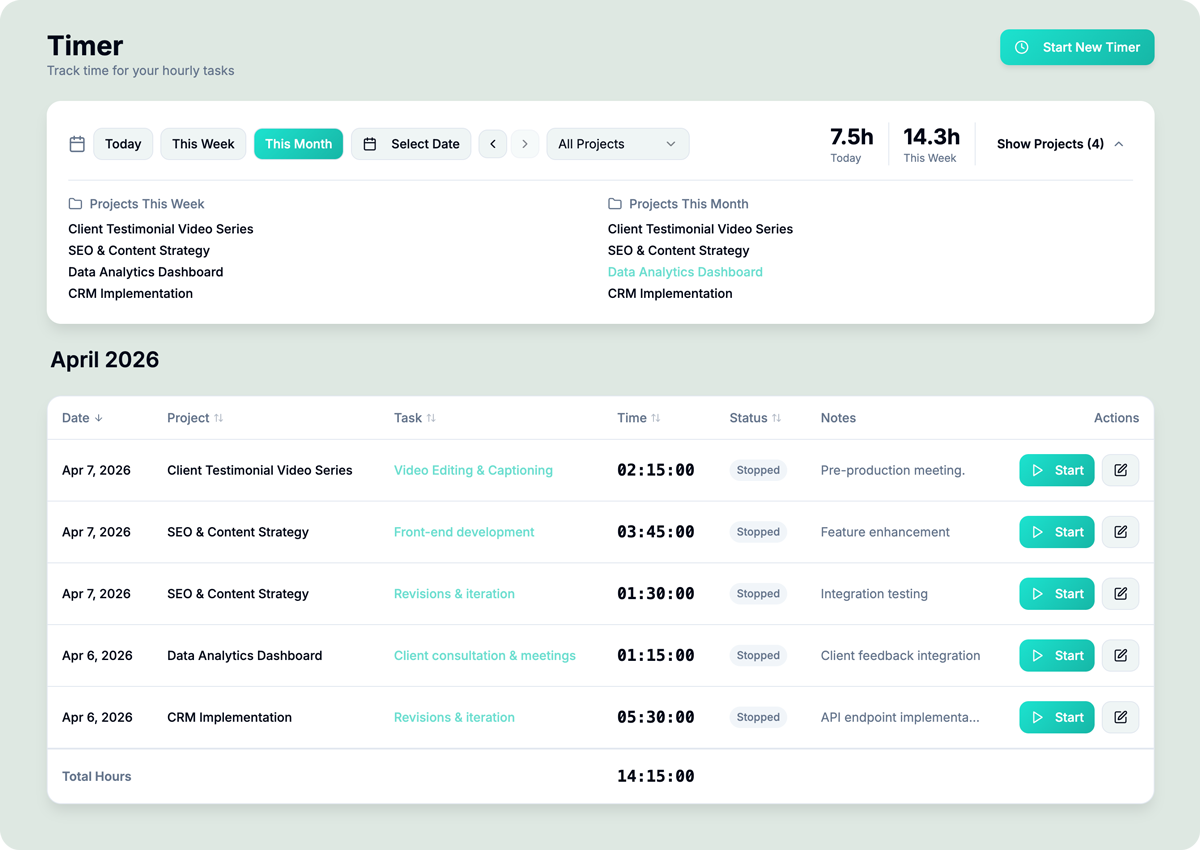
Track your time down to the second then invoice it directly.
One-Click Timers
Start and stop timers directly from tasks or the global timer—track time as you work
Weekly Summaries
See daily, weekly, and monthly breakdowns of hours by project, client, or team member
Retroactive Logging
Add time entries for past dates—perfect for catching up on missed tracking
Manual Time Entry
Forgot to start the timer? Add time retroactively with date, duration, and notes
Task & Project Linking
Every time entry links to a task and project—budget tracking updates automatically
Invoice Time Tracked
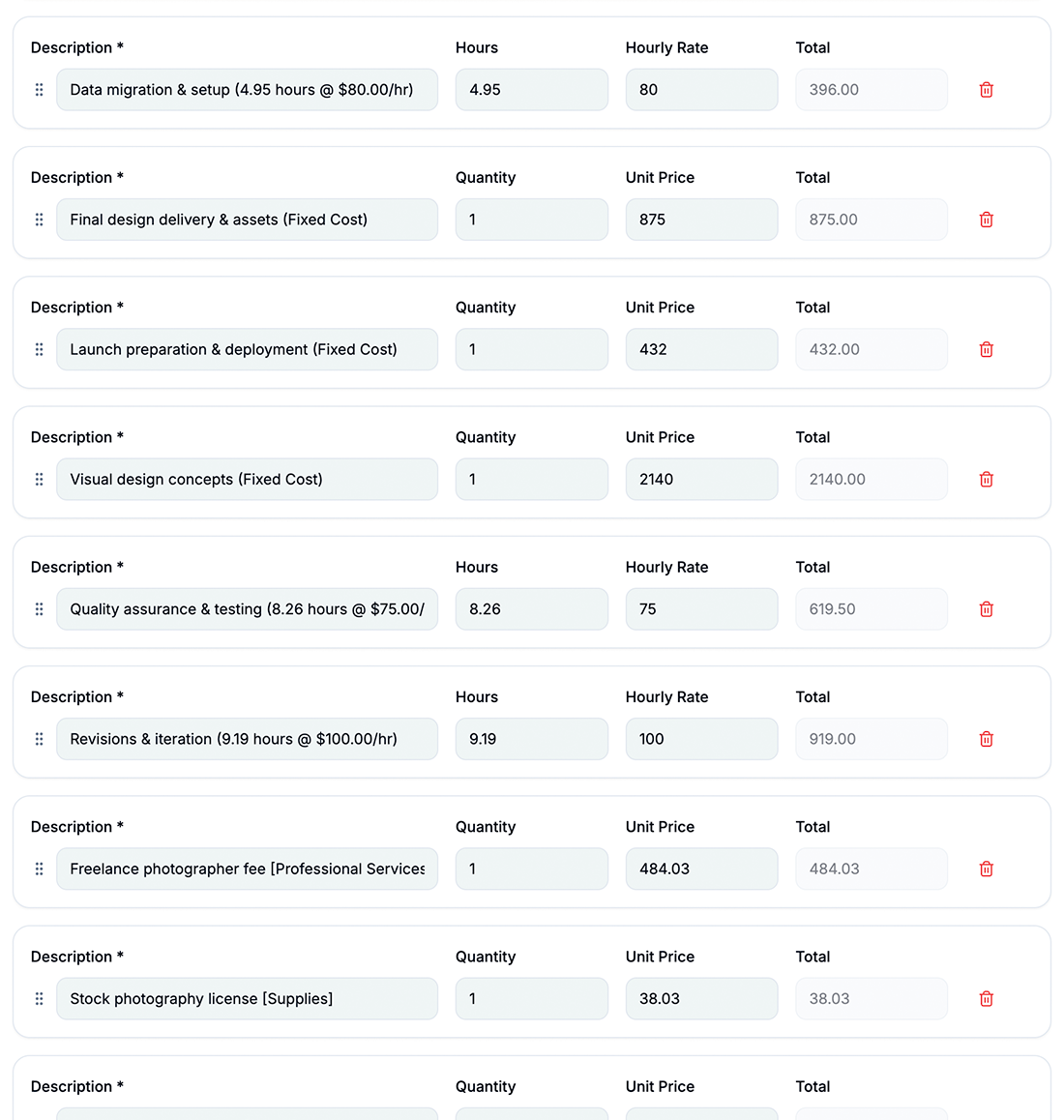
Time entries are automatically connected to Task hourly rates and can be invoiced with the project
How Time Tracking Works in hr/glass
Start Timer
Click the timer on any task or use the global timer to start tracking
Work Naturally
The timer runs in the background while you focus on client work
Review Hours
Check your weekly summary to see where time was spent and catch any gaps
Invoice
Tracked hours automatically flow into invoices—no manual entry needed


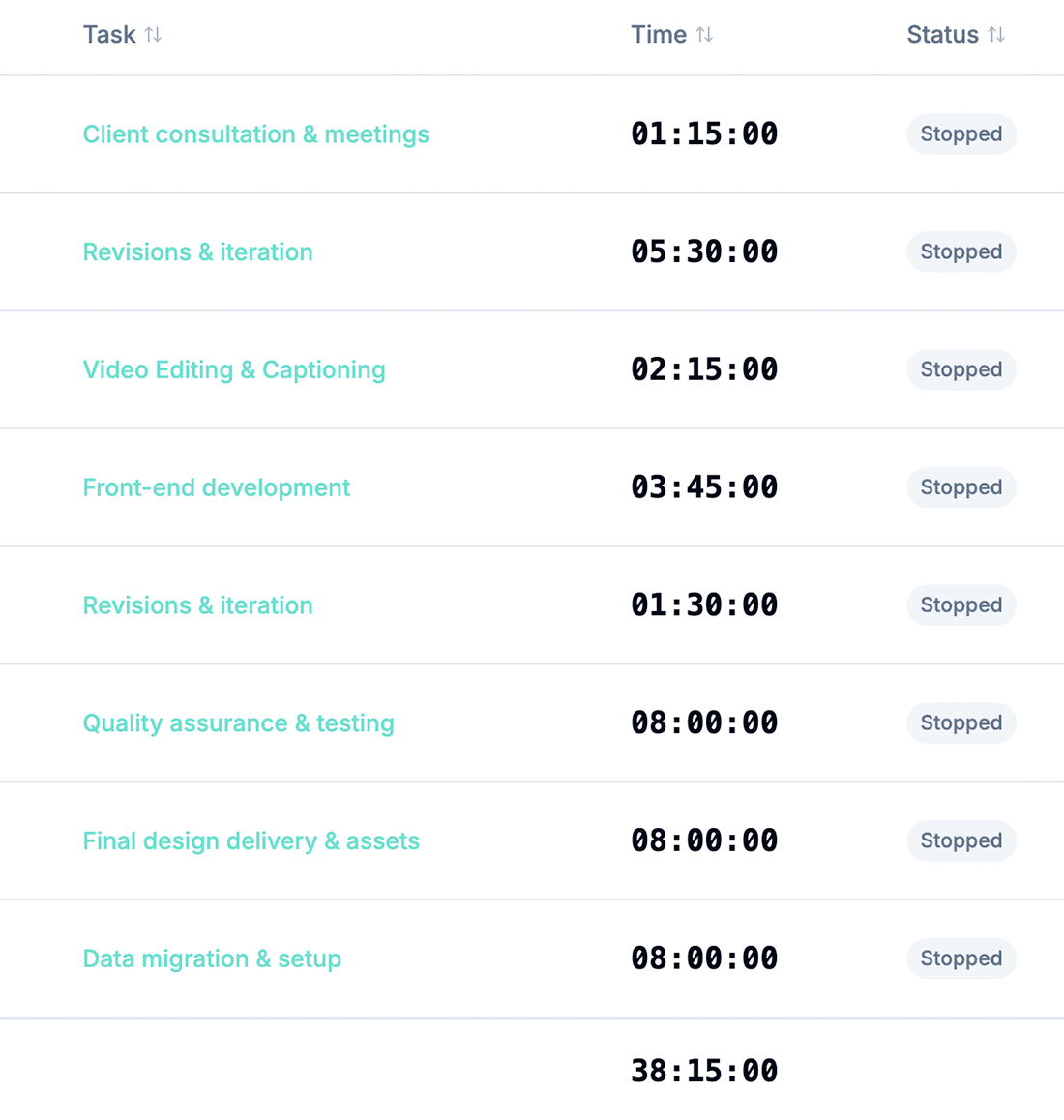
Time Tracking That Captures Every Billable Minute
One-click timers or manual entry—never lose a billable hour again


Start a timer, get to work, get paid.
Track time against every task in your project; whether it’s a fixed-cost deliverable, an hourly line item, or internal non-billable work, using hrglass’s built-in timer. Start, pause, resume, and stop with one click. A live stats toolbar shows your total hours, billable hours, and per-project breakdown at a glance, and every entry is automatically tied to its task and project so nothing gets lost. When invoice time comes, all your billable hours flow directly into the invoice; no spreadsheets, no memory, no missed time.
Video Tutorial /Time Tracking
Use the built in Timer to track billable hours to hourly tasks
Who would use hr/glass for Time Tracking?
Freelancers
Track every hour across multiple clients and ensure nothing goes unbilled
Agencies
Monitor team utilization and track hours across dozens of projects simultaneously
Consultants
Log hours with detailed notes for transparent client billing and reporting
David Park, IT Consultant
“I was losing at least 5 billable hours a week before hrglass. The one-click timer changed everything for my bottom line.”
Looking for a Toggl Alternative?
hrglass is a fantastic Toggl Alternative, the perfect compliment to your growing business. Up your Project Management organization and Invoice clients directly from the Projects page.
Common Questions About Time Tracking
Yes! hrglass works on any device with a browser—start timers from your phone or tablet.
No problem—add time manually with retroactive entries. Set the date, duration, and notes after the fact.
Yes, any task can be starred / favorited and accessed on the Timer page as an “Instant Timer”. One single click starts the timer on that task instantly.
Absolutely. Filter time summaries by team member, project, or client for full visibility.
Yes! Time entries automatically update the project’s budget utilization in real-time.