
Task Management
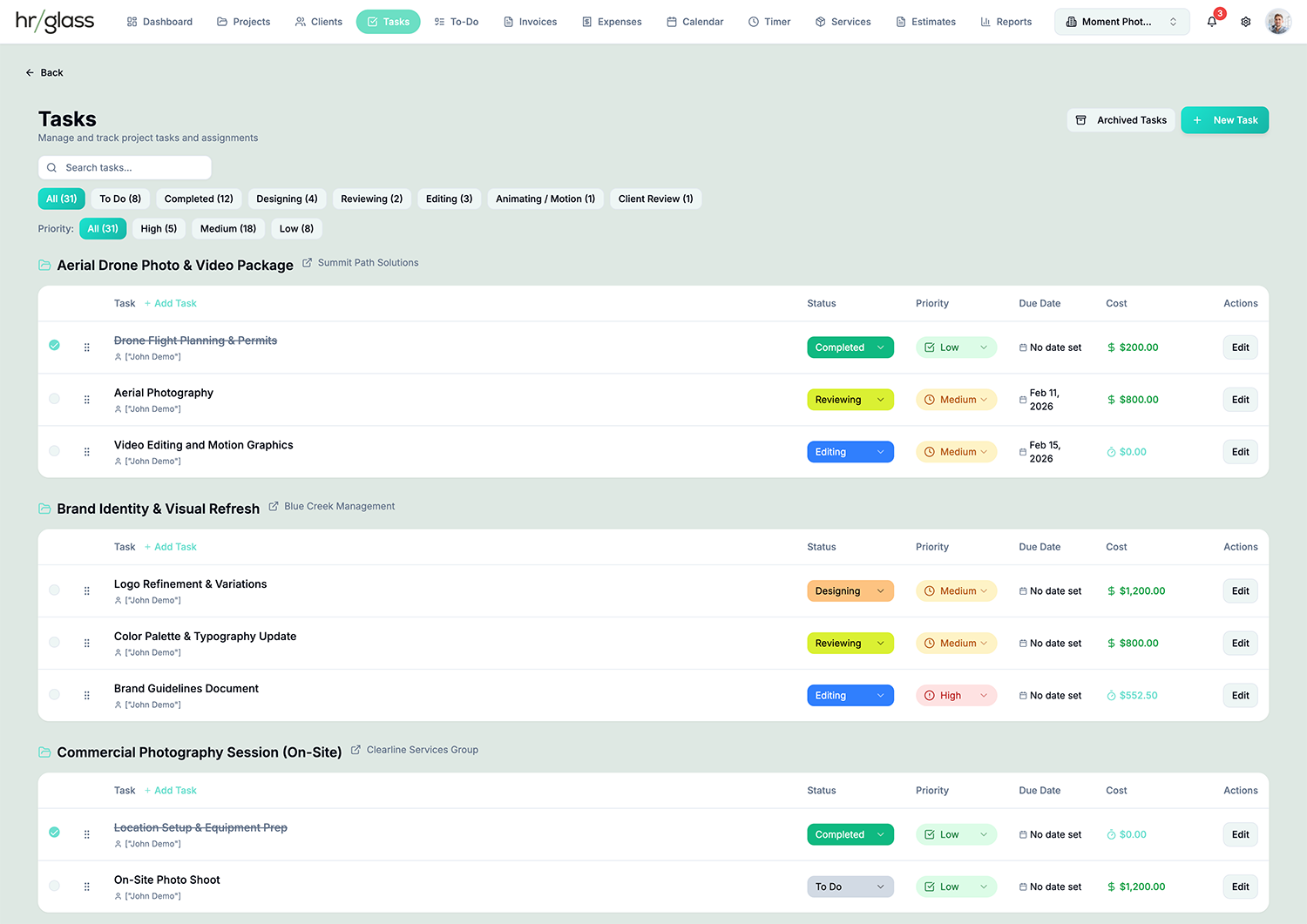
Tasks are the workhorse of hrglass, manage and bill with ease.
Four Billing Types
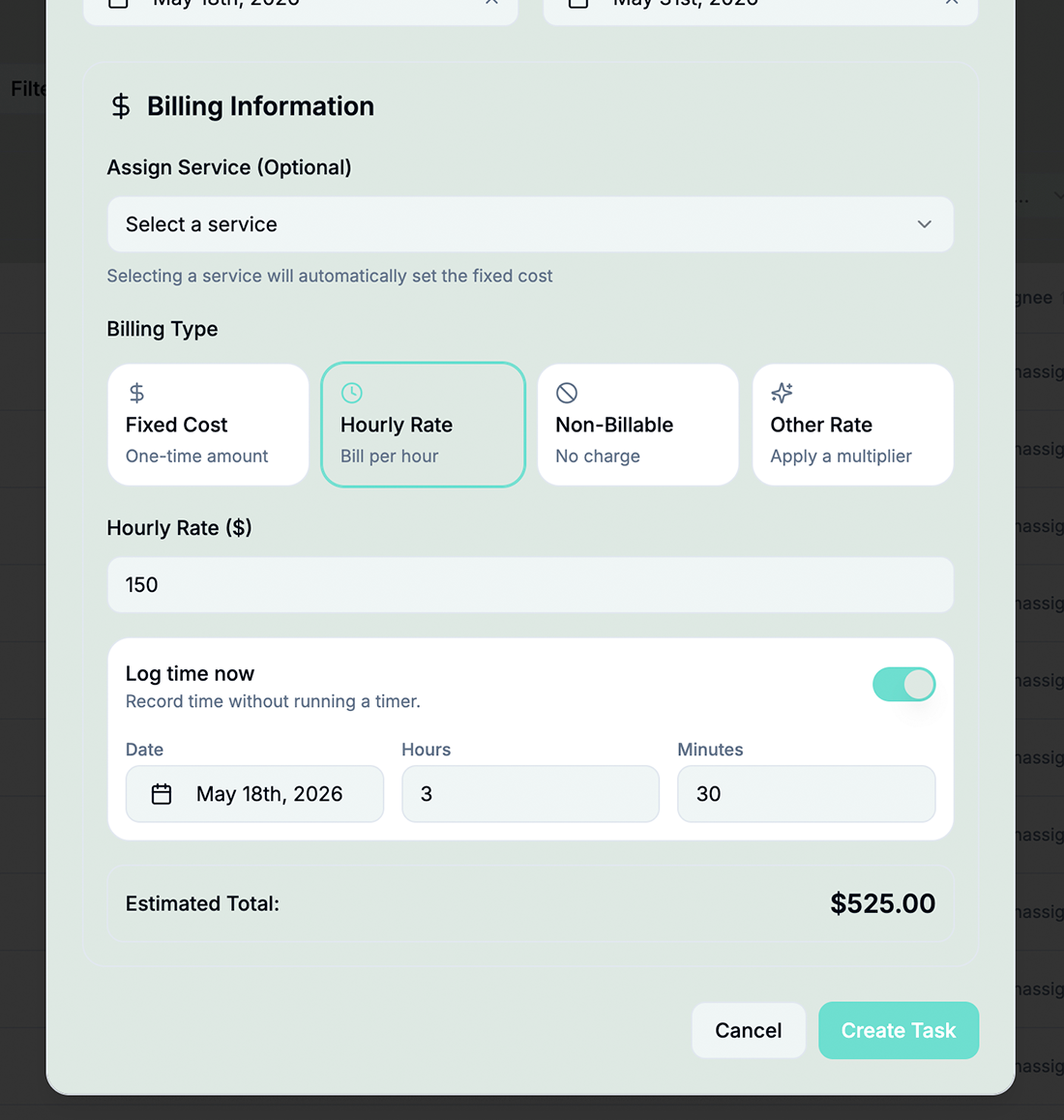
Hourly (set rate + estimated hours), Fixed/Flat Cost, Custom Modifier (e.g. 1.5x), or Non-Billable (internal work)
Custom Task Statuses
Create custom statuses with colors (To Do, In Progress, Review, Done, etc.)
Task Duplication
Duplicate Tasks to speed up workflow. (Everything from the duplicated Task gets copied to the new Task)
Archive Tasks
Archive finished Tasks to de-clutter your Dashboards.
Four View Layouts
Default Table, Compact Table, Status-Grouped, Compact Cards; work your way
Smart Filtering & Overdue Highlighting
Filter by project, status, priority, assignee, or invoice status. Visual badges automatically highlight overdue tasks
Assign Pre-made Services to Individual Tasks
Fixed rate Services or Product details pre-populate the financials for repeat Tasks.
Invoice Integration
See which tasks are invoiced vs. uninvoiced at a glance
How Task Management Works in hr/glass
Create Task
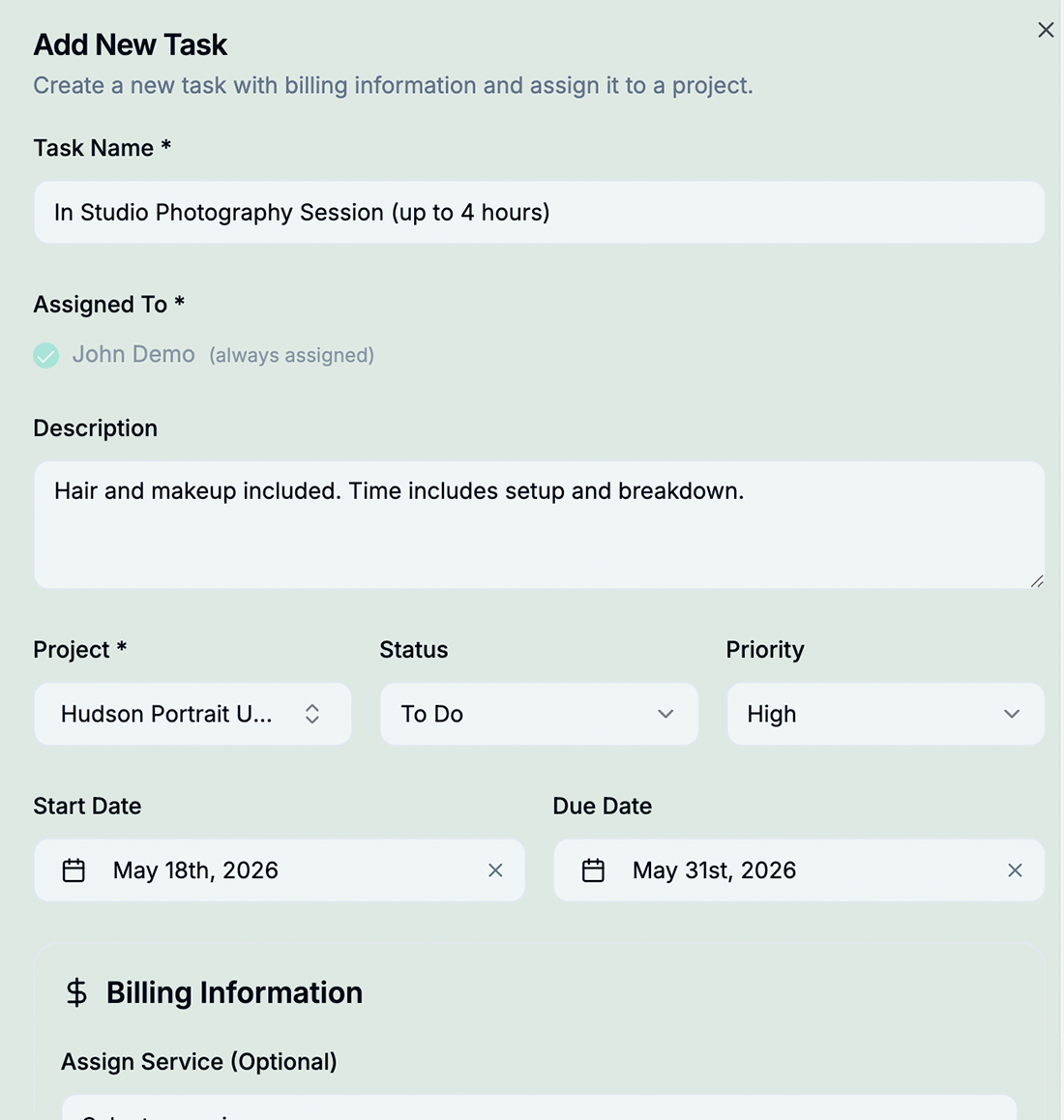
Create task with billing type (hourly, fixed, modifier, or non-billable)
Assign & Prioritize
Assign to team member and set priority/due date
Track Progress
Track time (instantly or with a Timer) and mark complete as work progresses
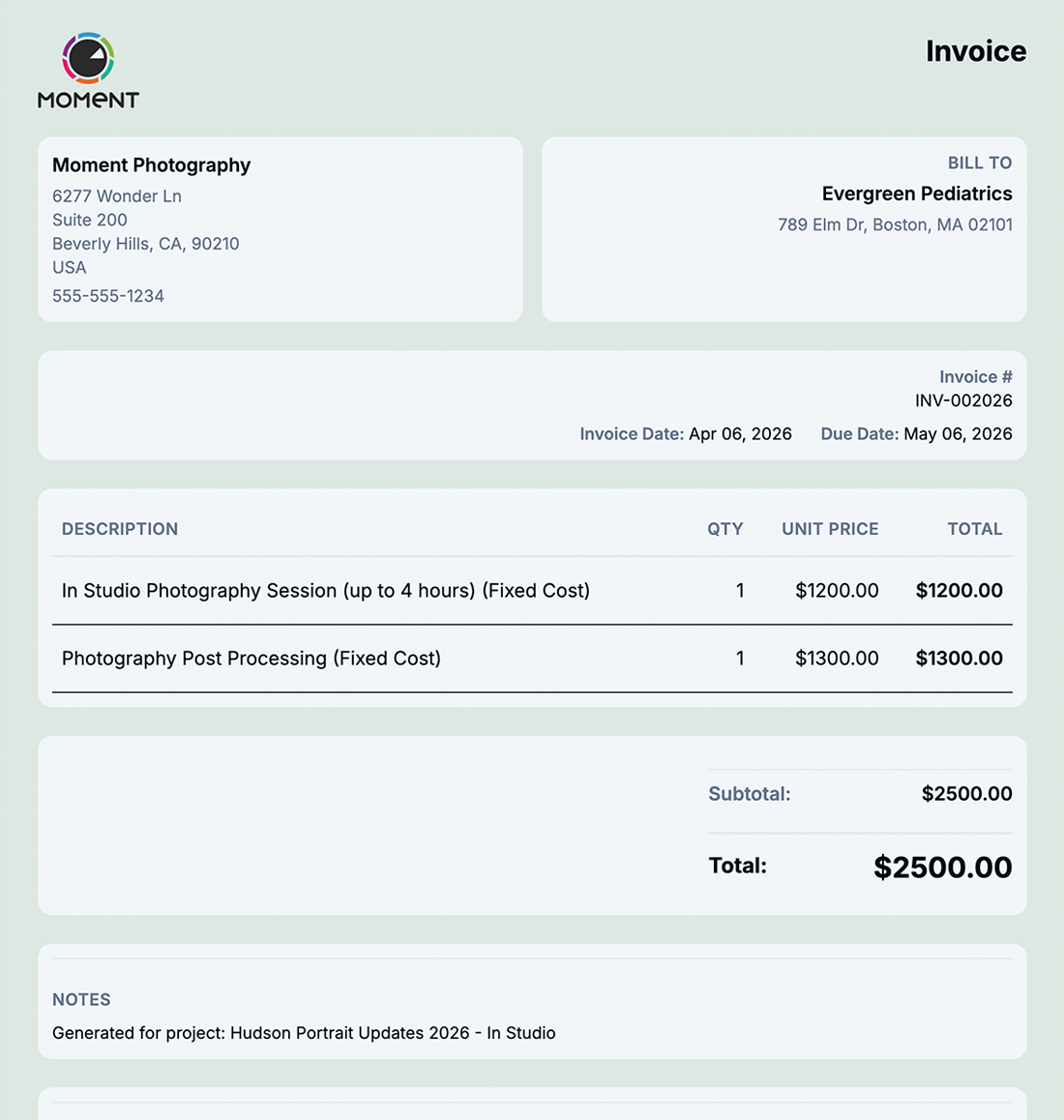
Invoiced as Line Items
Tasks can be automatically added as Line Items for generated Invoices.

Complete Task Visibility from Start to Finish
hrglass Task Management gives you everything in one place:
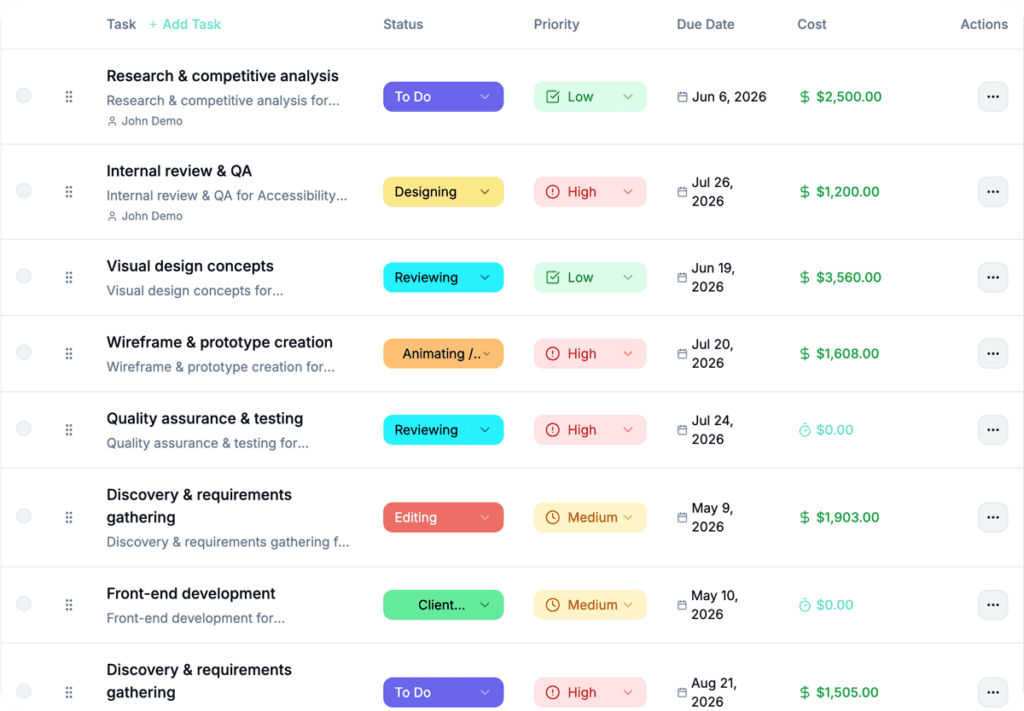

From multiple views to simple duplications, Tasks have never been this easy to manage.
Create unlimited tasks for every project with complete flexibility. Set fixed, hourly, or non-billable rates, and streamline repeat work by assigning pre-defined services or products. Easily edit, duplicate, archive, or delete tasks; while maintaining full control with the ability to restore anything at any time.
Multiple Task View Layouts
Choose from 4 pre-made layouts.

Project View

Compact Table
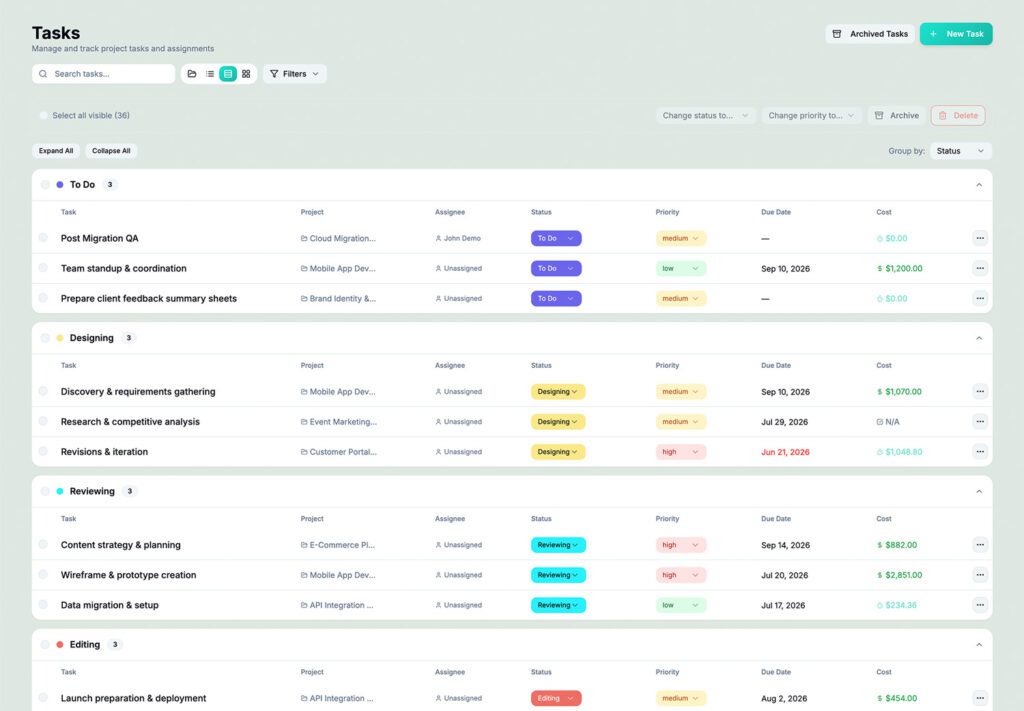
Status Order

Card Cozy
Who would use hr/glass for Task Management?
Freelancers
Track 20-30 concurrent tasks across multiple clients with clear billing visibility
Agencies
Coordinate 100+ tasks across team with custom workflows and bulk updates
Developers
Manage sprints with custom statuses and precise time tracking per task
Sarah Kim, Freelance Designer
“I used to lose track of billable work all the time. Now I can sort all Tasks by billables and invoice them.”
Already using something like Harvest for Tasks?
hrglass is a fantastic Harvest Alternative, the the perfect compliment to your growing business.
Common Questions About Task Management
Yes! Link tasks to services for consistent pricing across projects.
Filter by “Invoice Status: Uninvoiced” to see all billable work that hasn’t been invoiced yet.
Yes! Drag-and-drop to reorder tasks within any view mode.
Hourly (with rate and estimated hours), Fixed Cost (flat price), Custom Modifier (e.g. 1.5x for Overtime), and Non-Billable (for internal work).