

Harvest Alternative
hrglass vs. Harvest
hrglass can be a perfect Harvest alternative. Both handle time tracking and invoicing, but hrglass adds full project management, estimates, contracts, taxes, account credit, custom reports, and business branding in one integrated platform.
Built for web designers, photographers, and consultants who bill by the project.

40+
Features Harvest doesn’t have
$16/mo
For solo hrglass Pro plan (annually)
1 tool
Instead of separate apps and subscriptions
14 days
Free trial, no credit card required
hrglass
- All-in-one: projects, tasks, time, invoicing, estimates, expenses, contracts
- Kanban boards & 4 project view modes (Card, Compact Card, Table, and Kanban)
- Accepted estimates become projects automatically — zero clicks
- Multi-project invoicing & recurring invoices
- Taxes module (per-project & per-invoice)
- Account Credit for refunds and overpayments
- Invoice Template Maker & Business Branding (logo, colors, domain)
- Custom Reports Generator & Global Workspace Search
- Team permissions, multi-workspace architecture
- Project/Task deletion recovery
- All features included in every plan
Harvest
- Strong, focused time tracking with native invoicing
- Clean web, desktop, and mobile apps
- Stripe + PayPal online payments built in
- Native QuickBooks Online & Xero accounting sync
- Estimates with client approval, but no conversion into projects
- No built-in project/task management beyond billing categories
- Basic role permissions (Admin / Manager / Member)
- No multi-workspace, contracts, to-do lists, or custom statuses
- No fully integrated project and task management
- No Contracts attached to Estimates
- No Services / Flat Rate Portfolio catelog
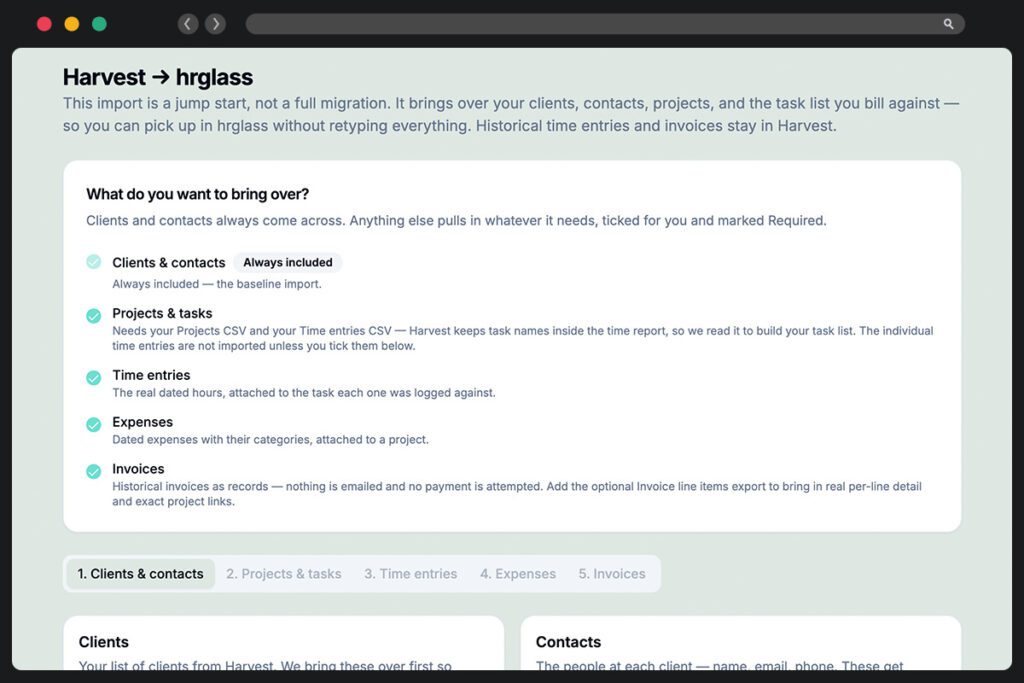
Switching from Harvest takes less than 30 minutes.
Your clients/contacts, projects, timers, expenses, and invoices come across from a CSV export. Import into hrglass using our customized Harvest Importer.
- 1
Export clients, projects, time entries, and expenses from Harvest as CSV
- 2
Sign up for hrglass and import your client and contacts
- 3
Import your Projects, Tasks, Time Entries, Expenses, & Invoices
- 4
Run both tools in parallel for a week to sanity-check invoices
- 5
Cancel Harvest once your first hrglass invoice goes out clean
Feature by Feature
Thirteen categories, checked against what both products actually ship today; including the places Harvest is still ahead.
Project & Task Management
This is the widest gap. Harvest’s “tasks” are billing categories attached to time entries, not work you can assign, sequence, or move across a board. hrglass gives you real project management, which is why most Harvest users end up paying for a second tool.

- Multiple project views (Kanban, List, Card)
- Custom task & project statuses
- Task priority levels
- Fixed Rate Tasks
- Multiplier Rate Tasks (e.g. Overtime 1.5x)
- Bulk task actions (status, assignee, archive)
- Global search (entire Workspace in one place)
- Personal To-Do list (separate from billable tasks)
- Projects with budgets & status tracking
- Task billingProject Level Only
- Hourly Rate Tasks
- Non-billable Tasks
- Project notes
- Integrated calendar view (deadlines, tasks, invoices)add-on
Time Tracking
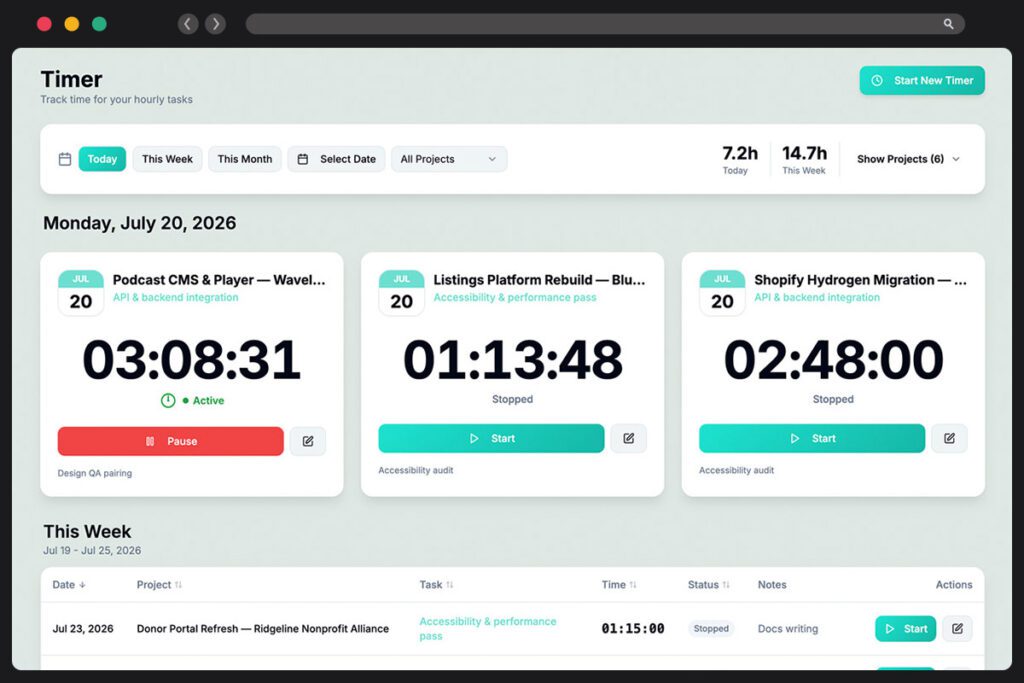
Harvest is excellent here and we won’t pretend otherwise; its desktop and mobile apps are more mature than ours. hrglass matches the core: one-click timers, manual entry, retroactive logging, and a weekly timesheet, with every entry tied to a real task.
- One-click Favorite Timers
- Live Time Tracking Timers
- Manual time entry
- Time Rounding Up / Nearest
- Non-billable time tracking
- Per-user billable & internal rates
- Timesheet submission & approval workflowEnterprise Only
- Idle Detection
- Calendar integration (Google, Outlook)Coming Soon
- Desktop & mobile appsComing 2027
- Client credit / prepaid balance (apply to invoices)
- Auto-generate invoices from tracked time & expenses
- Multi-project invoices
- Taxes (custom per Project)
- Multiple invoice templatesShared Template
- Overdue invoice reminders (automated)
- Invoice history log per invoice
- Custom invoice numbering
- Recurring / retainer invoices
- Multiple currenciesComing 2027
- Estimate → full project conversion
- Contract Templates
- Attach Contracts to Estimates
- Contract acceptance for Estimate approval
- Client-facing estimate with public share link
- Client accept / decline flow
- Estimate → invoice conversion
- Manual payment guidance (Zelle, Venmo, Check)
- Stripe payments
- PayPal payments
- Clients pay online (pay button on invoice)
- Billing contact email preference (primary invoice Contact)
- Client credit / prepaid balance tracking
- Client Details Dashboard (See all projects, invoices)
- Client profiles
- Multiple contacts per client
- Client archive & restore
- Reusable service items with default rates
- Service linking to tasks, estimates & invoices
- Rate locking on service-backed line items
- Attach Services to Estimate Tasks
- Tax summary report
- Tax rates on invoices & estimates
- Compound tax support
- Unlimited Tax Rates or Fees on Invoices
- Expenses Dashboard and filters
- Milage Tracker
- Expense Markup Percent
- Recurring Expenses
- Partial expense billing tracking
- Expense Taxes
- Expense tracking with categories
- Receipt uploads
- Expense approval flow
- Roll billable expenses into invoices
- Track non-billable expenses
- Time & project reports
- Dashboard KPIs
- Team utilization reporting
- Project profitability reportingEnterprise Only
- Custom report builder with filters & grouping
- Saved reports
- Projects with balances at a glance
- Detailed Custom Reports
- Export CSV
- Tax summary report
- Resource forecastingadd-on
- Activity / audit logEnterprise Only
- Multiple workspaces under one account
- Assign To-Do's to team members
- Assign team members to Projects/Tasks
- In-app and email notifications
- Role-based access control
- Owners-only financial visibility (rates, totals, invoices)
- Google SSO sign-in
- SAML / SSOComing SoonEnterprise Only
- Restore any deleted item for 30-days
- Deleted items restore page
- Archive & restore (clients, projects, tasks)
- Strict per-workspace data isolation
- Project & task deadline reminders
- In-app notification center (bell)
- To-Do reminders
- Email notifications
- Per-user notification preferences
- Overdue invoice alerts