
Project Management
Track budgets, deadlines, and team progress with visual dashboards so you know where every project stands.
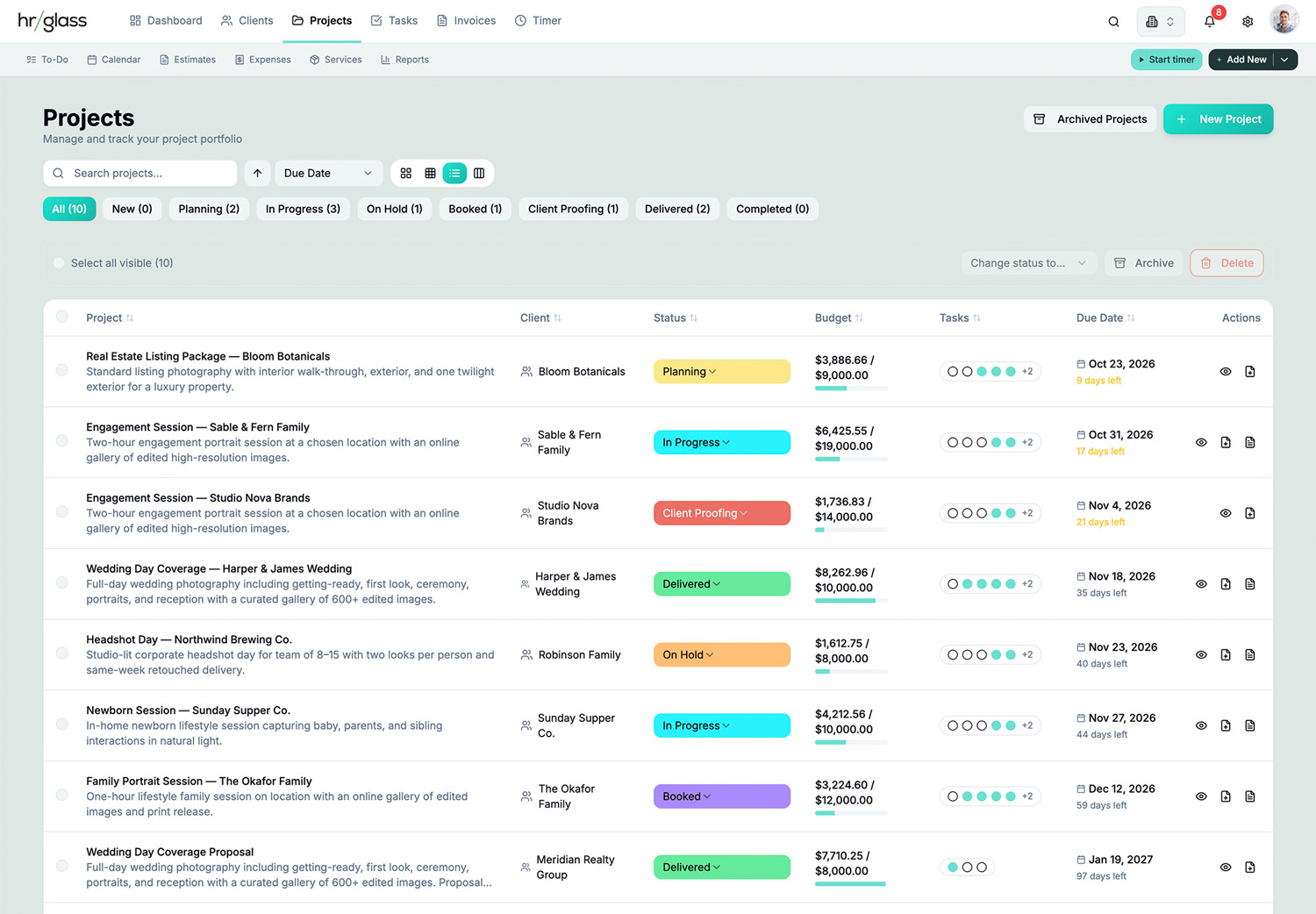
Projects managed just the way you like, connected to everything.
Real-Time Budget Tracking
Set project budgets and watch actual costs update automatically as your team logs time and expenses
Custom Status Workflows
Create custom project statuses with colors that match your workflow (drag-and-drop to reorder)
Team Assignment
Assign multiple team members to projects and track who's working on what in real-time
Task Management
Hourly (set rate + estimated hours), Fixed Cost (flat price), or Non-Billable (internal work)
Multiple View Modes
Switch between Card, List, Compact, and Kanban views—work the way you want to work
Progress Indicators
See task completion percentages, budget utilization, and timeline progress at a glance
One-Click Invoicing
Generate professional invoices directly from completed project tasks—no manual data entry
Archive & Recovery
Archive completed projects to clean up your workspace, restore them anytime within 30 days
How Project Management Works in hr/glass
Create Project
Link project to a client, set budget and deadline, choose a status
Assign Tasks
Link project to a client, set budget and deadline, choose a status
Track Progress
As team logs time and completes tasks, project automatically updates budget and progress
Generate Invoice
When project work is complete, select tasks and generate invoice with one click

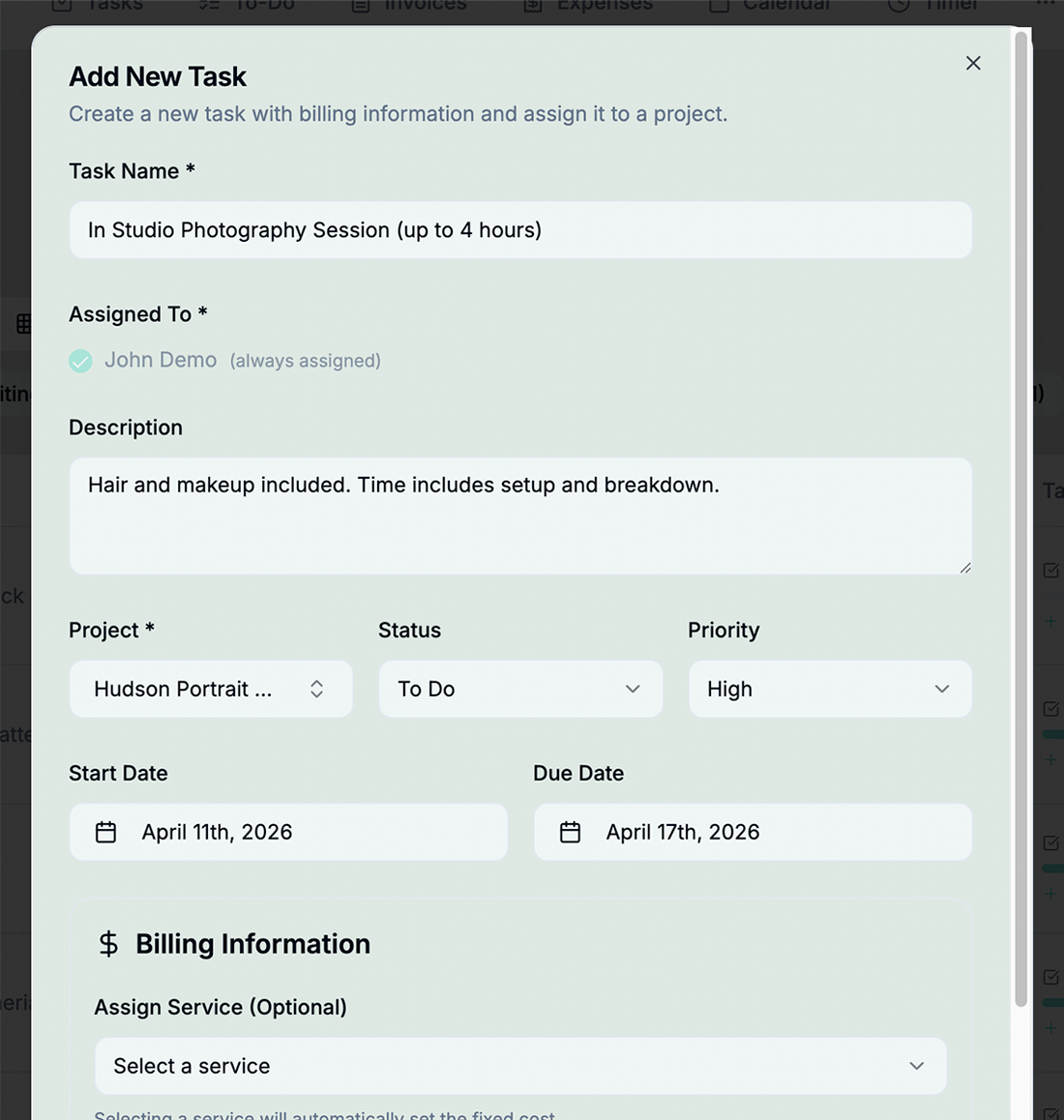

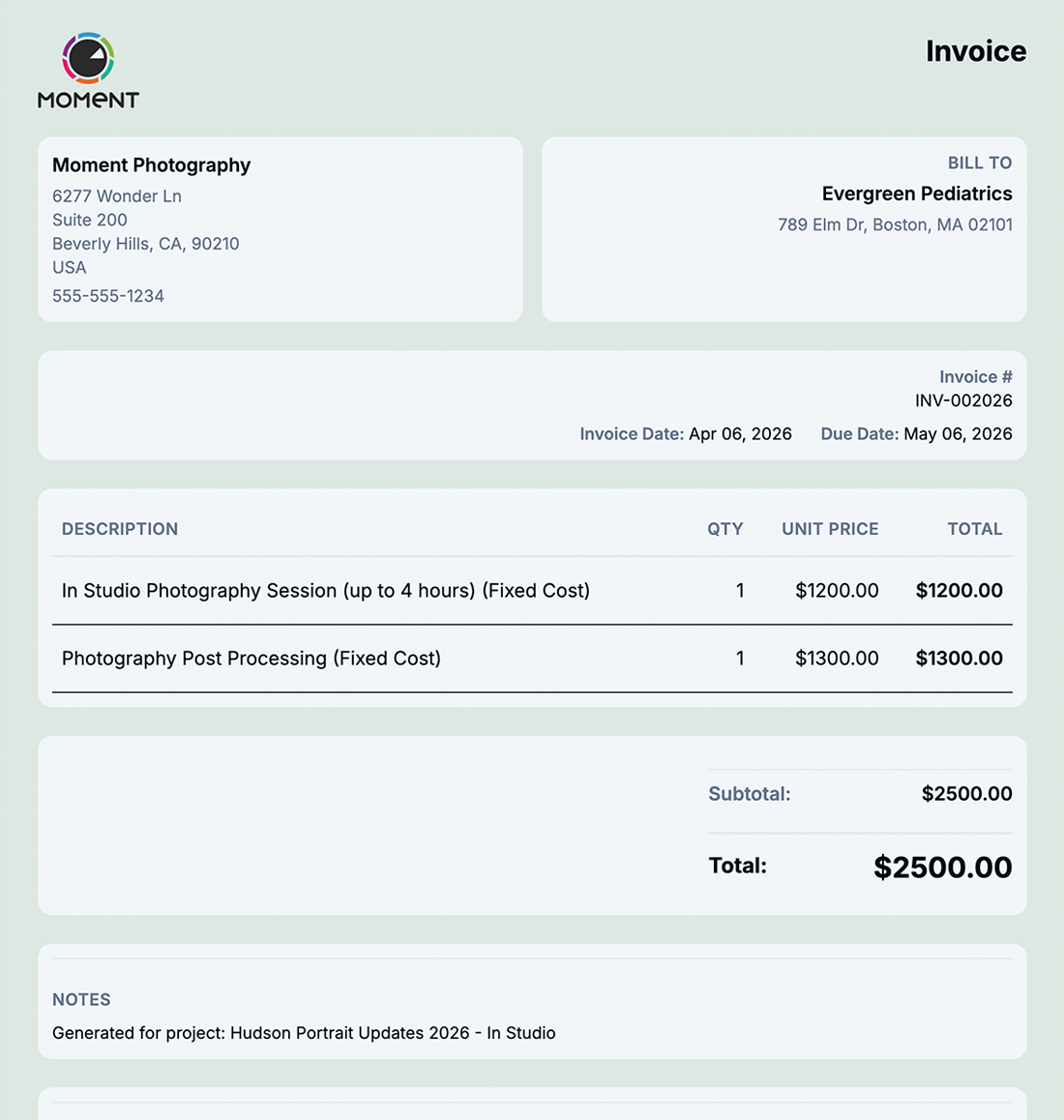
Complete Project Visibility from Start to Finish
hrglass Project Management gives you everything in one place:
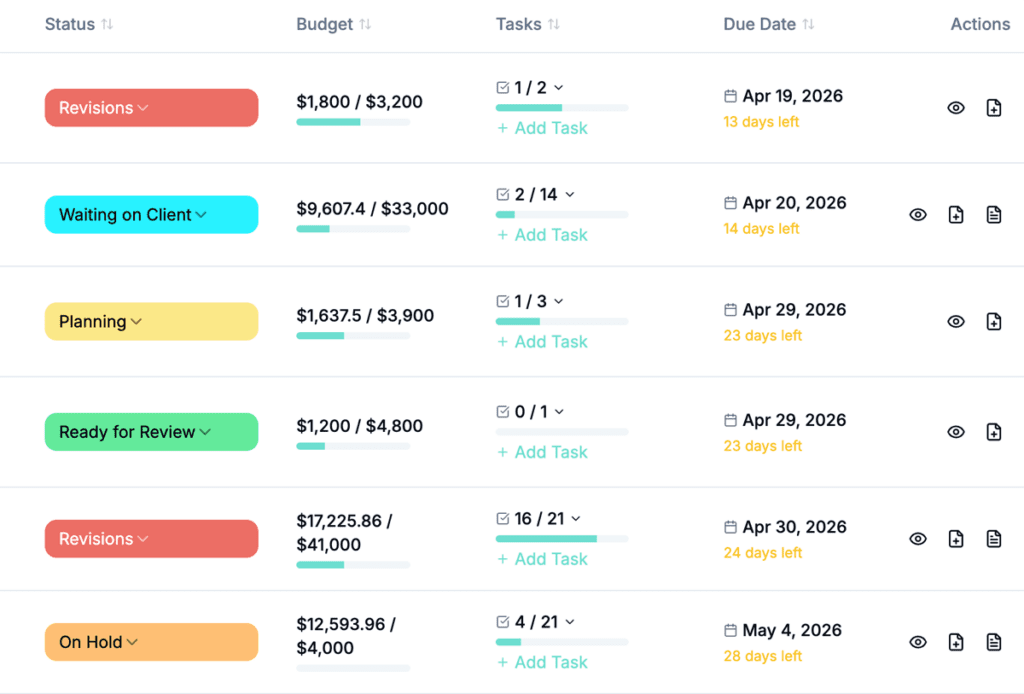

Budgets that update in real-time as time is tracked, and start invoicing at anytime.
Clear, intuitive visual progress indicators show exactly where each project stands at every stage. Easily generate invoices directly from completed projects or bill for partially completed work with just a click; eliminating manual data entry and reducing the risk of errors.
Multiple Project View Layouts
Choose from 4 pre-made layouts.
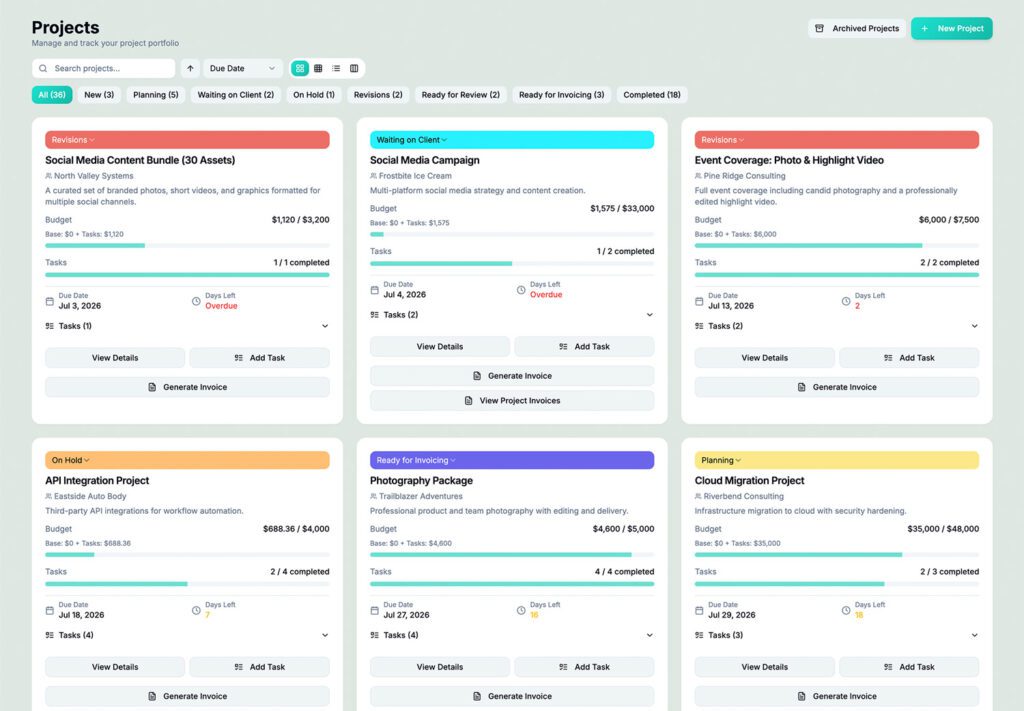
Card View

Compact Card View
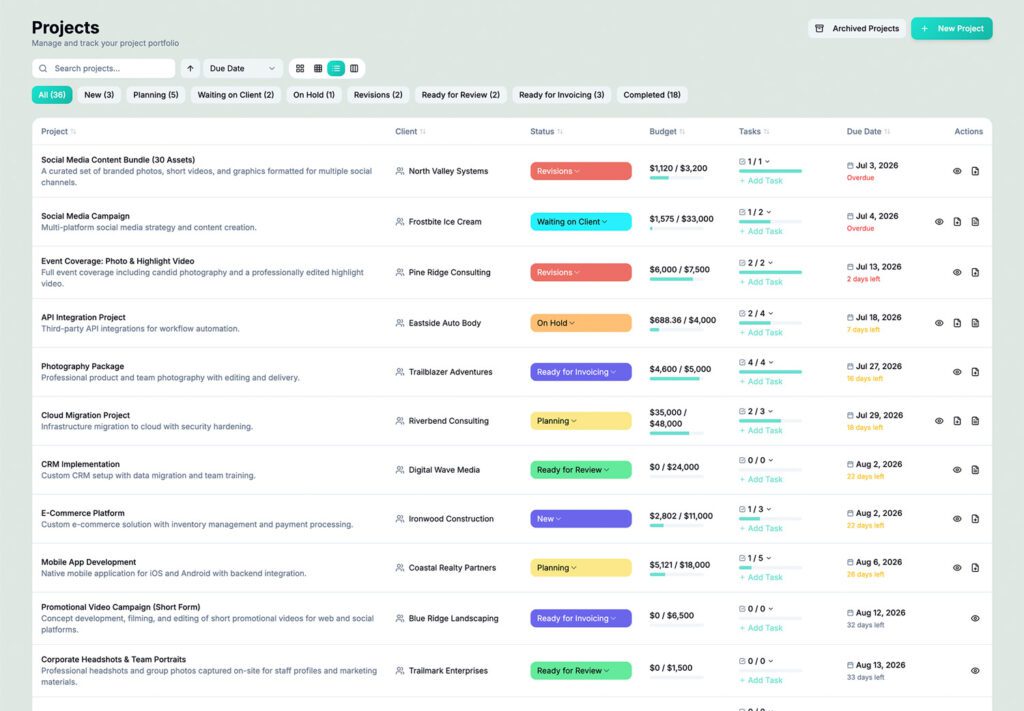
Table View

Kanban View
Video Tutorial /Create Projects and Tasks
How to create your first Project and add billable tasks
Who would use hr/glass for Project Management?
Freelancers
Manage multiple concurrent client projects without losing track of deadlines or profitability
Agencies
Coordinate projects across multiple team members with clear visibility into budget and progress
Consultants
Track multiple client engagements with precise budget management and seamless invoicing
Marcus Chen, Agency Owner
“We finally can track a Project throughout it’s entire lifecycle without ever having to go to another app.”
Looking for a Monday.com Alternative?
hrglass is a fantastic Monday.com Alternative, especially for your freelance or small business. Monday forgot about the Freelancer or Small Business with it minimum users and high prices. Get all hrglass Project Management plus Invoicing features in a single Plan.
Looking for an Asana Alternative?
hrglass is a perfect Asana Alternative. Service businesses still need to track time, send estimates, invoice clients, and collect payments. hrglass does all of that in one platform. Get all hrglass Project Management plus Invoicing features in a single Plan.
Common Questions About Project Management
Yes! All plans include unlimited projects and clients.
Create any statuses you need (e.g., “Planning,” “In Progress,” “Review,” “Complete”). Assign colors and reorder them with drag-and-drop.
Absolutely! Assign as many team members as needed. Track who’s working on what in real-time.
Tasks and time entries remain intact. Everything can be restored within 30 days if needed.