
Contracts
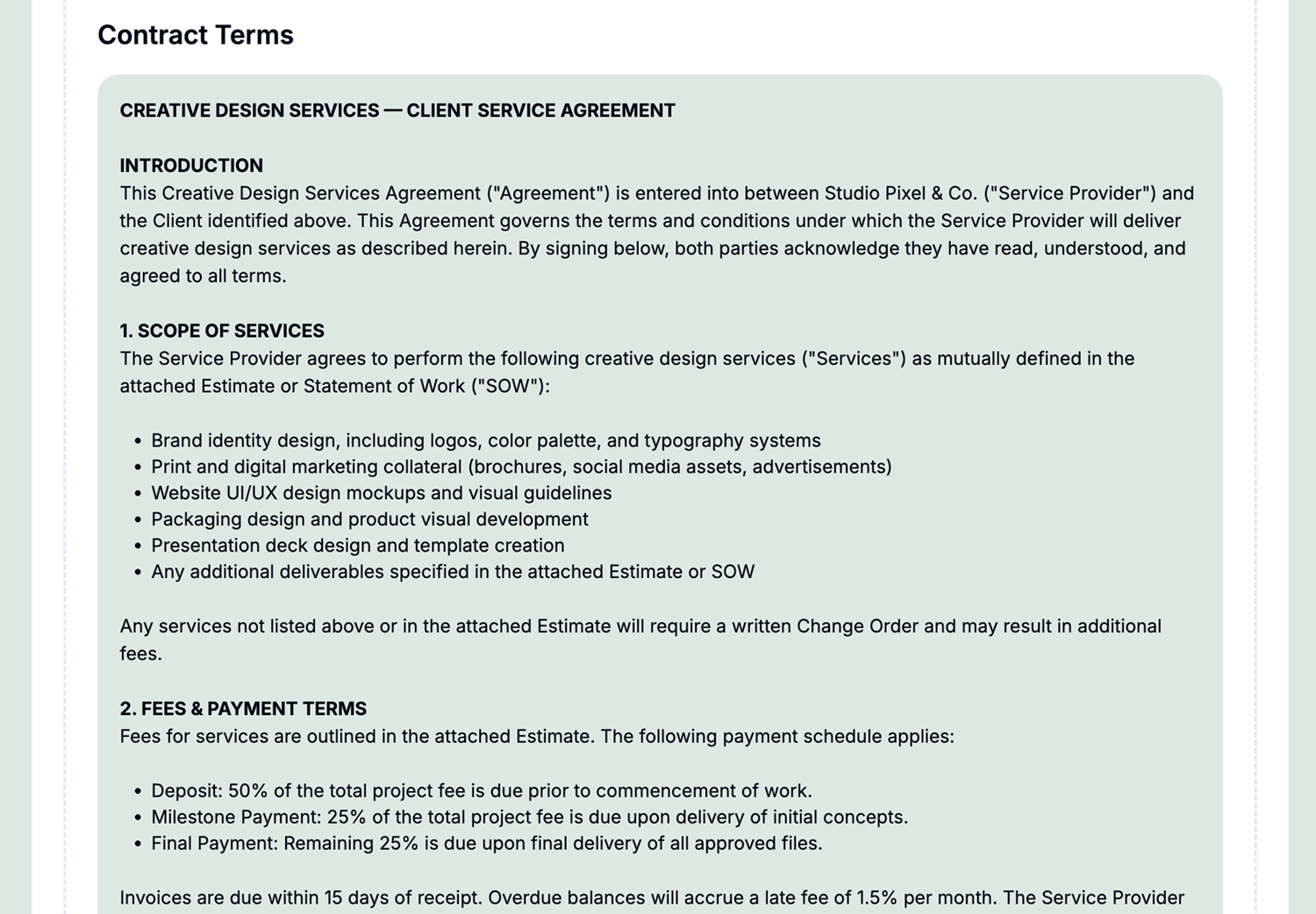
Get those contracts approved right in the estimate acceptance workflow.
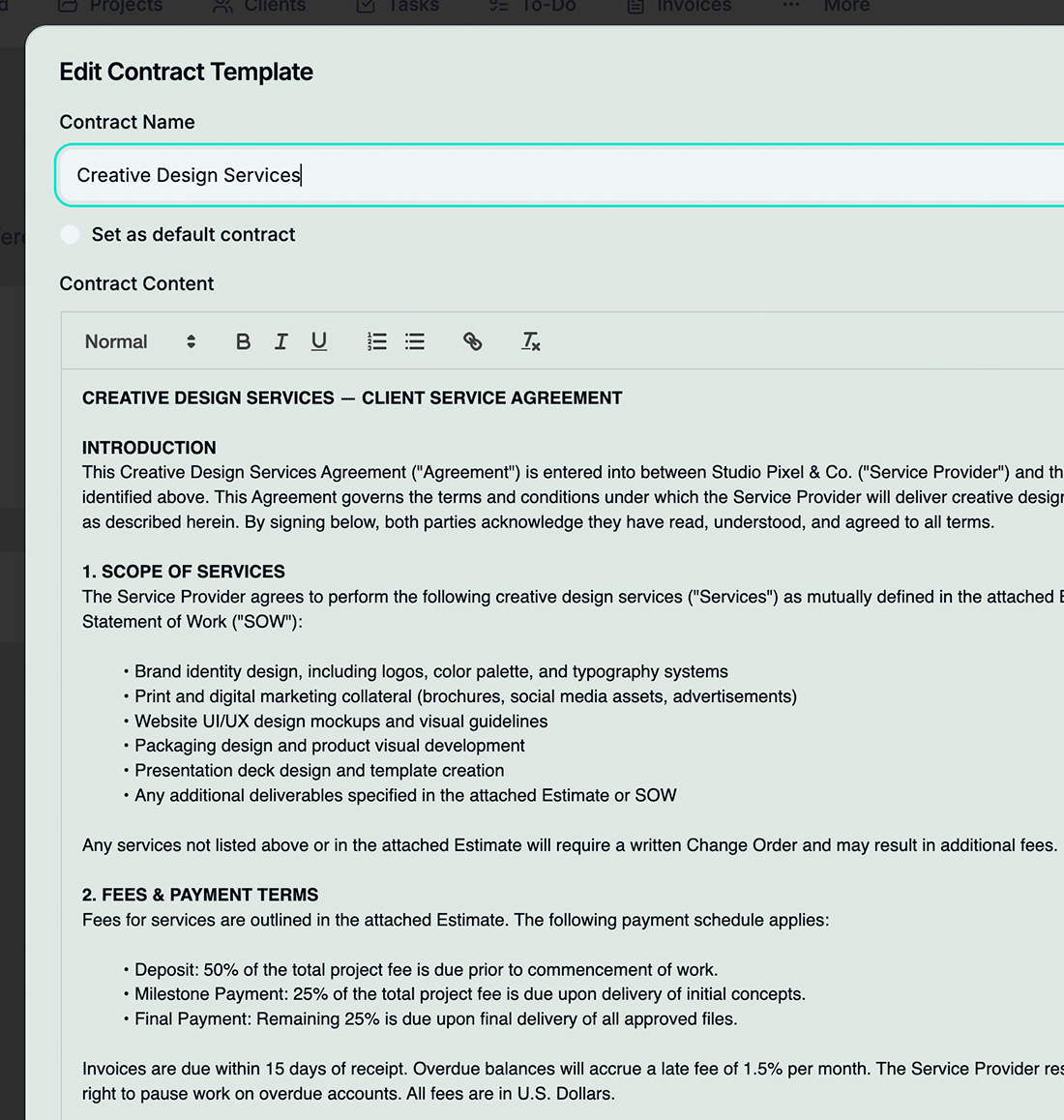
Rich-Text Editor
Full formatting toolbar with headings, lists, bold, italic, and more—no external editor needed
Client Preview
Generate a shareable preview link so clients can review the contract without logging in
Default Contract
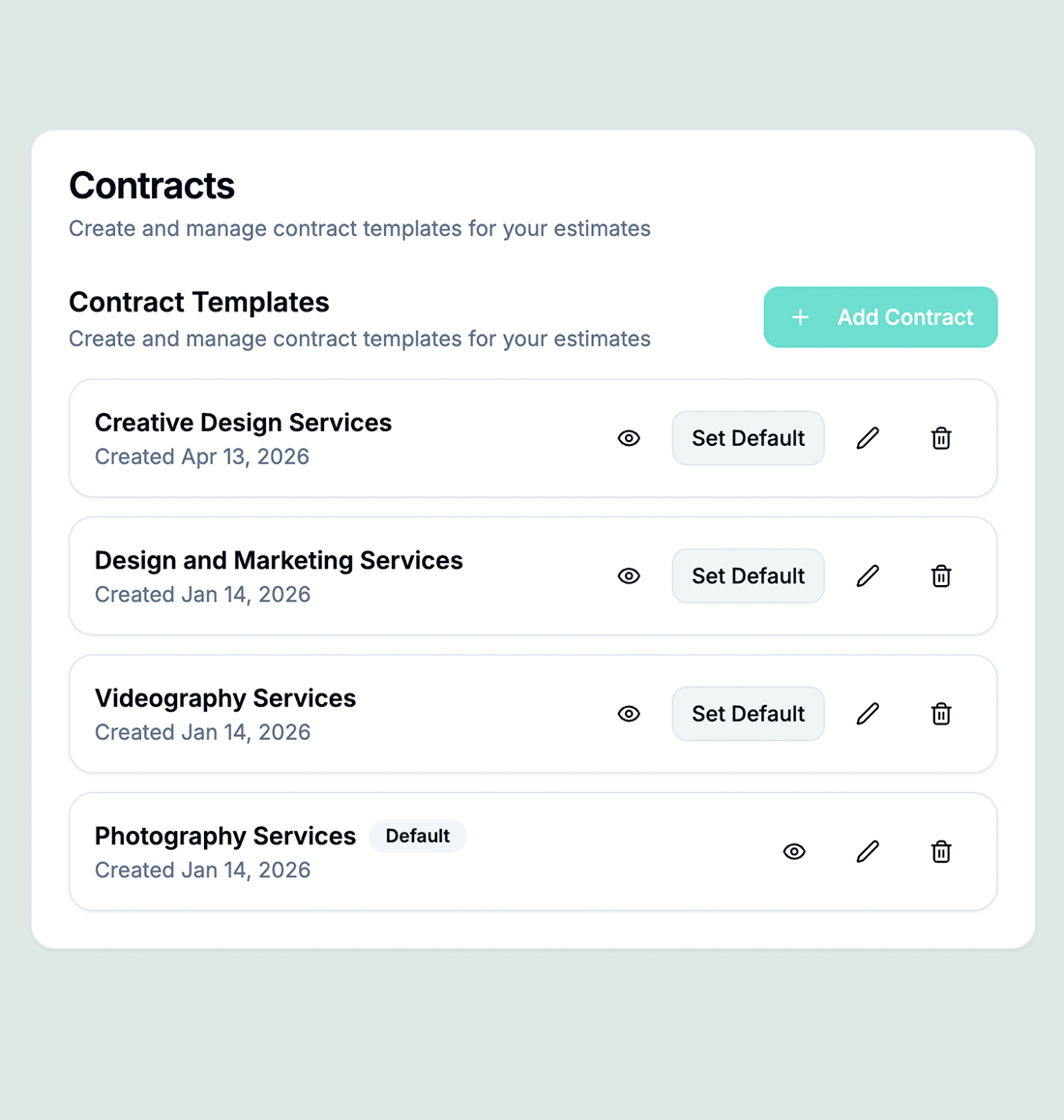
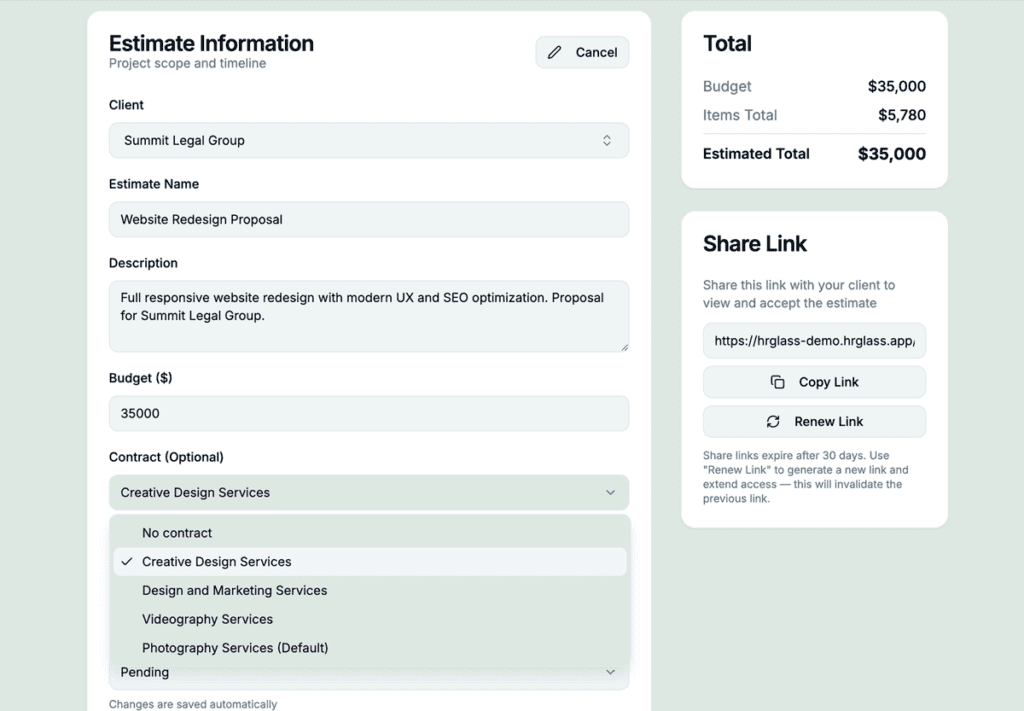
Mark any template as your default—it auto-selects when you create a new estimate, saving you a step every time
Reusable Templates
Save any contract as a template and reuse it across clients—update once, use everywhere
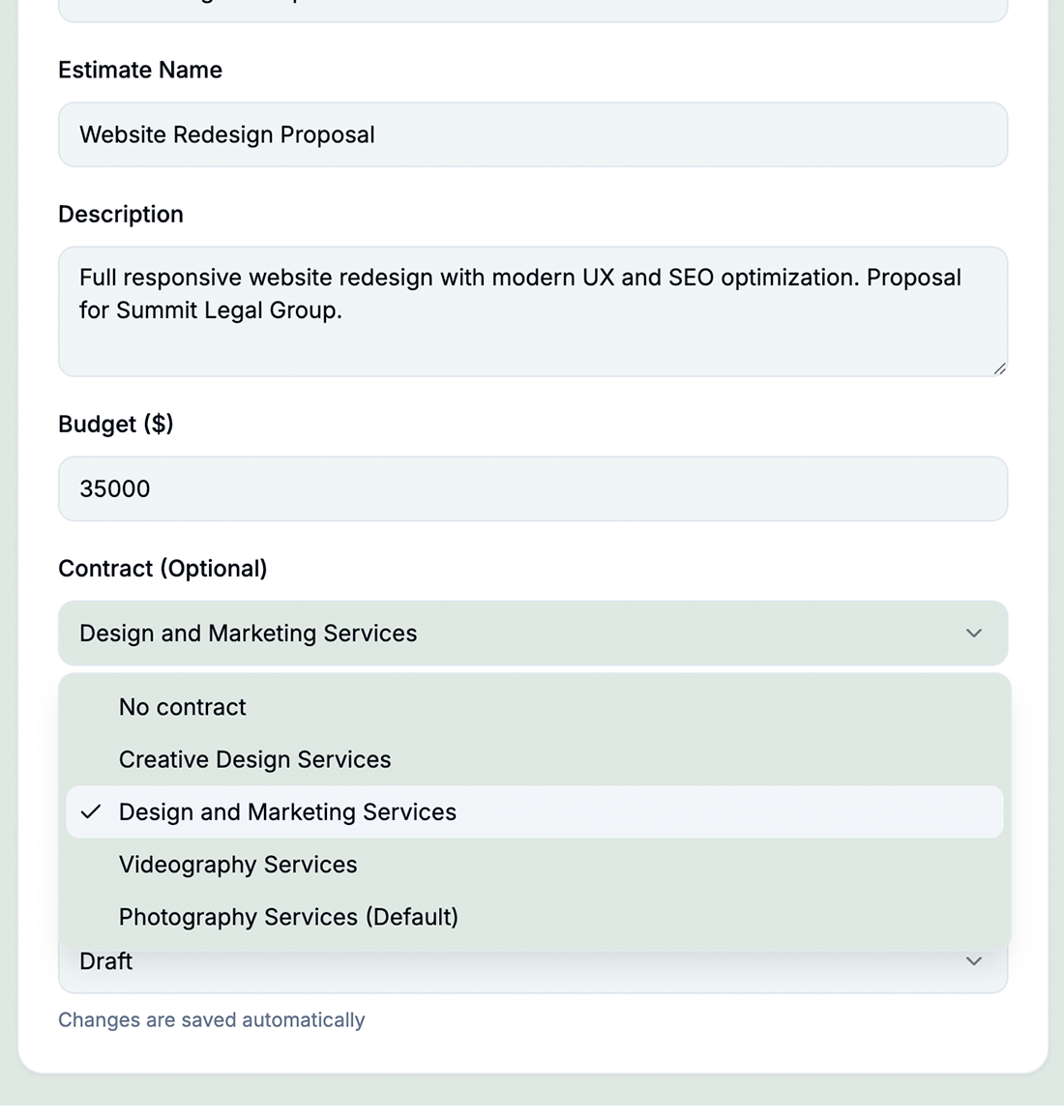
Attach to Estimates
Link contracts directly to estimates—when the estimate is accepted, the contract is already in place
Soft-Delete & Recovery
Accidentally deleted a contract? Recover it within 30 days from the deleted-items bin
How Contracts Works in hrglass
Create or Choose a Template
Start from scratch with the rich-text editor or pick a saved template to get started in seconds
Customize for the Client
Fill in client details, scope of work, payment terms, and any custom clauses
Attach to Client Estimate
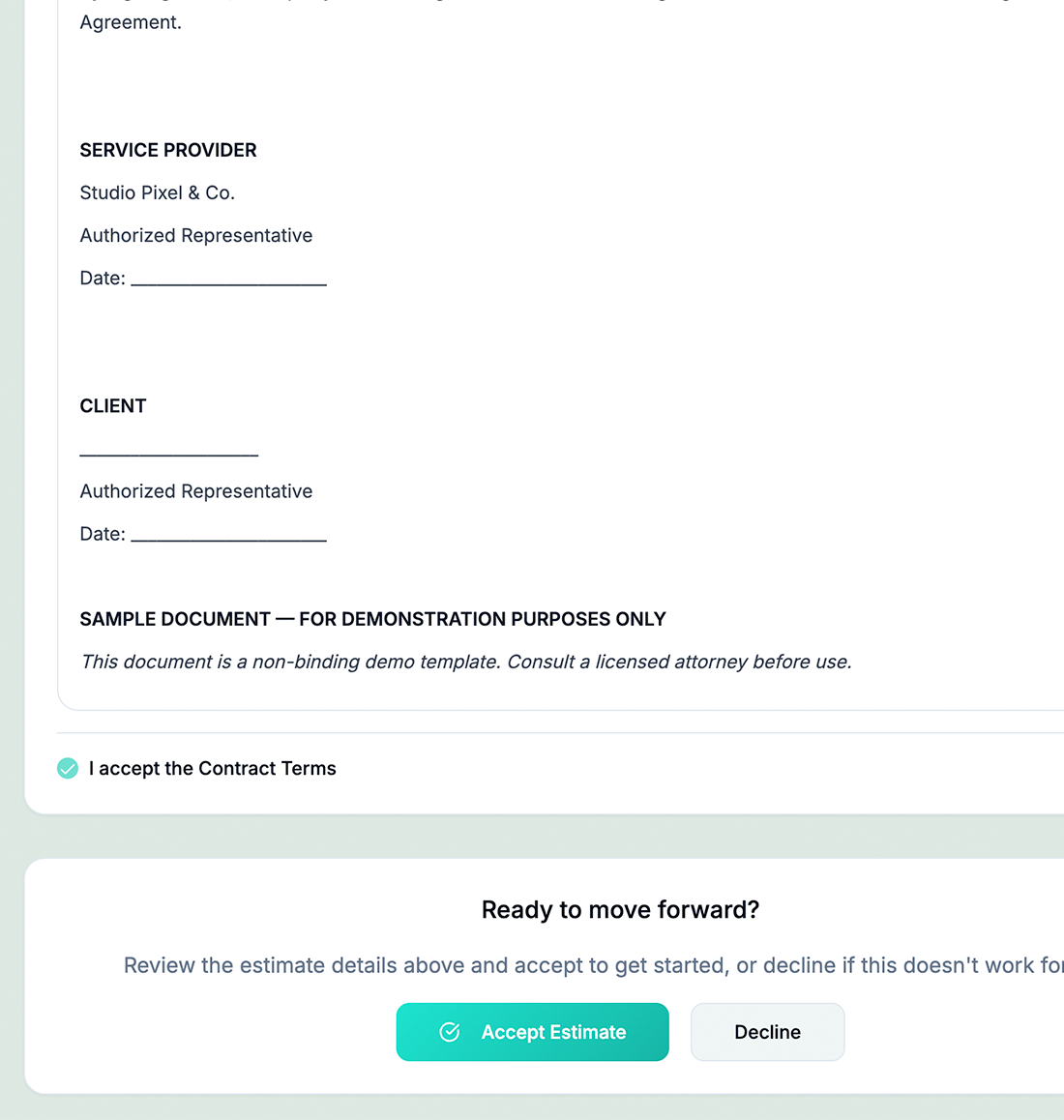
Incorporated into the Estimate so the client can review the contract online—no login required
Client Accepts Contract
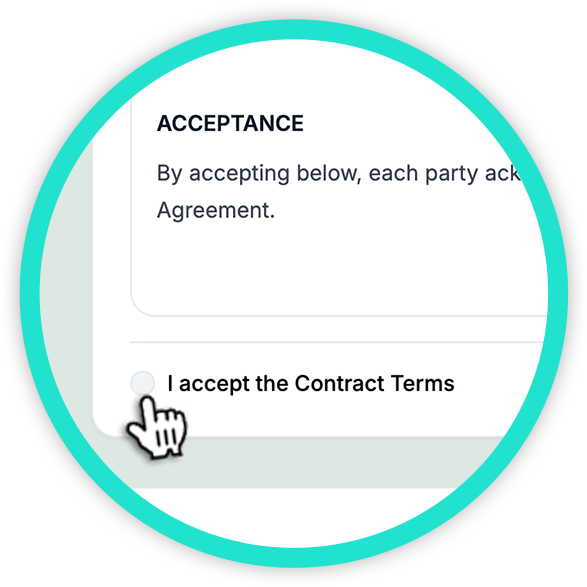
Client can accept or decline an Estimate with the attached Contract with a checkbox
Create, Share & Sign Contracts Without Leaving hrglass
Contracts Shouldn't Live in a Separate Tool
Contracts That Connect to Your Entire Workflow
hrglass lets you attach customized contract templates directly to estimates, so every proposal your client receives already includes the right legal agreement; no separate emails, no chasing signatures. When a client opens their estimate link, the contract is right there alongside the scope and pricing, creating a seamless experience where they can review, accept, and move forward all in one place.
Who would use hr/glass for Contracts?
Freelancers
Protect yourself with clear terms before starting any engagement—no more handshake deals
Agencies
Standardize client agreements with templates and ensure every project has a signed contract
Consultants
Attach detailed scope-of-work contracts to estimates and convert them into projects seamlessly
Maria Gonzalez, Brand Strategist
“Having contracts inside hrglass means I don’t need a separate tool. I create a template once and reuse it for every new client.”
Common Questions About Contracts
Yes! Write any contract in the rich-text editor and save it as a reusable template for future clients.
Currently, clients can review contracts via a shareable preview link. Digital signatures are on the roadmap.
Absolutely. Link contracts directly to estimates so everything is bundled when the client accepts.
No—create unlimited contracts on any plan.