

Built for Freelancers and Small Businesses
Project Management to Invoicing That Actually Works
Run your whole business from one platform. Tasks, time tracking, projects, clients, expenses, invoicing, and get paid online.
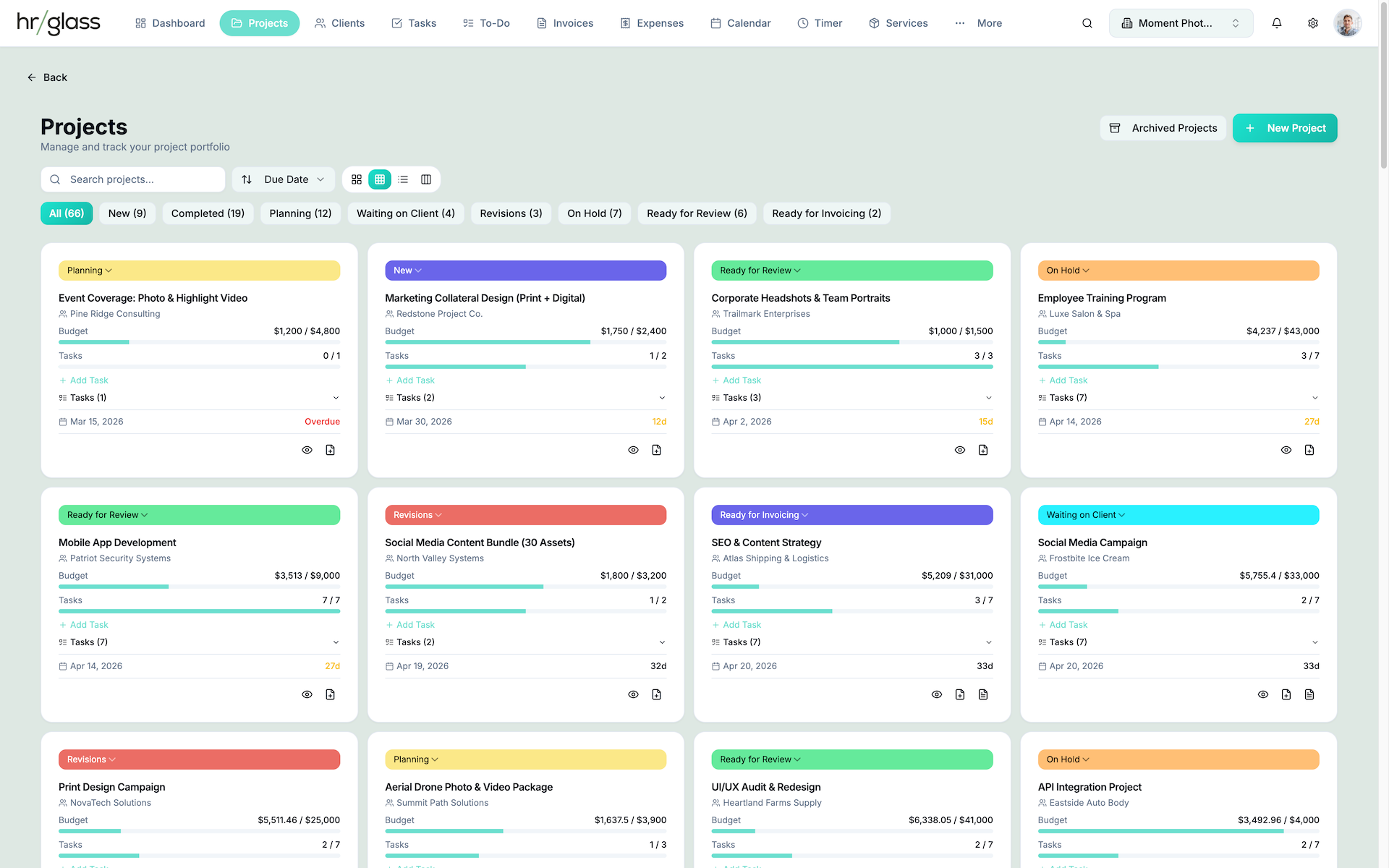

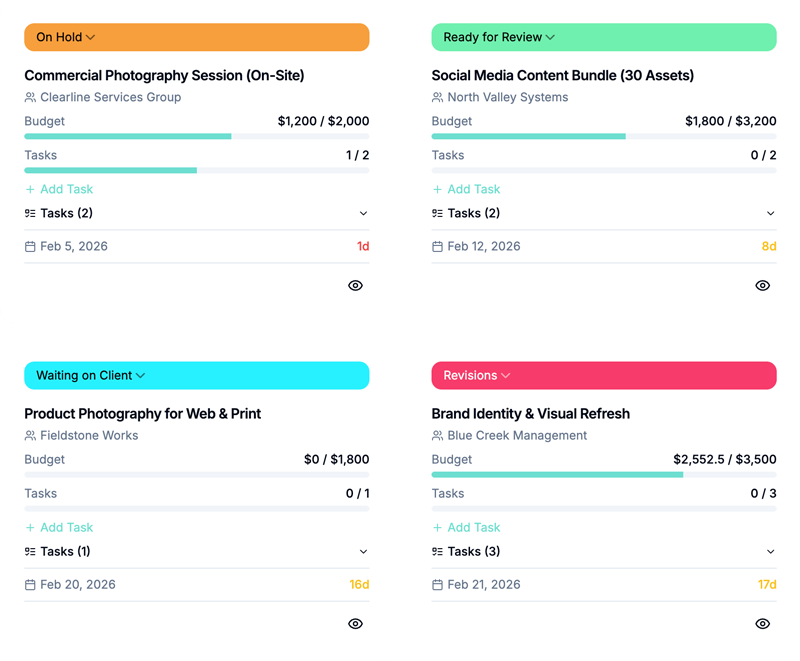
Projects
End-to-end Project Management from planning to payment.
Manage multiple client projects with clear visibility across tasks, timelines, budgets, and team workloads. Switch between Card, Table, and Kanban views to match how your team works, track fixed fee, hourly, and non-billable work in the same project, and generate invoices directly from project activity. Assign clients and team members with ease, stay on schedule with real time status updates, and keep work moving with in-app and email notifications.
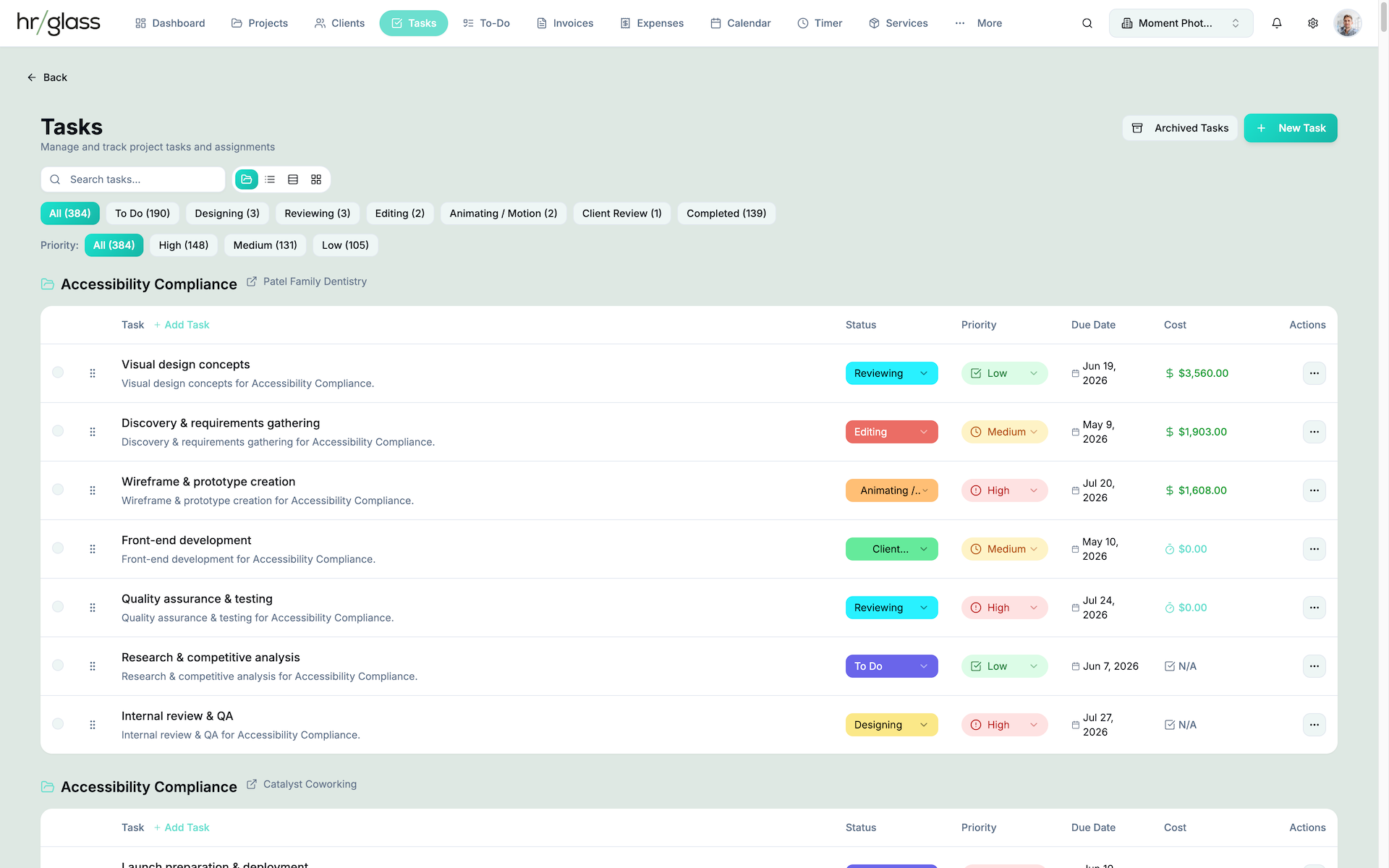
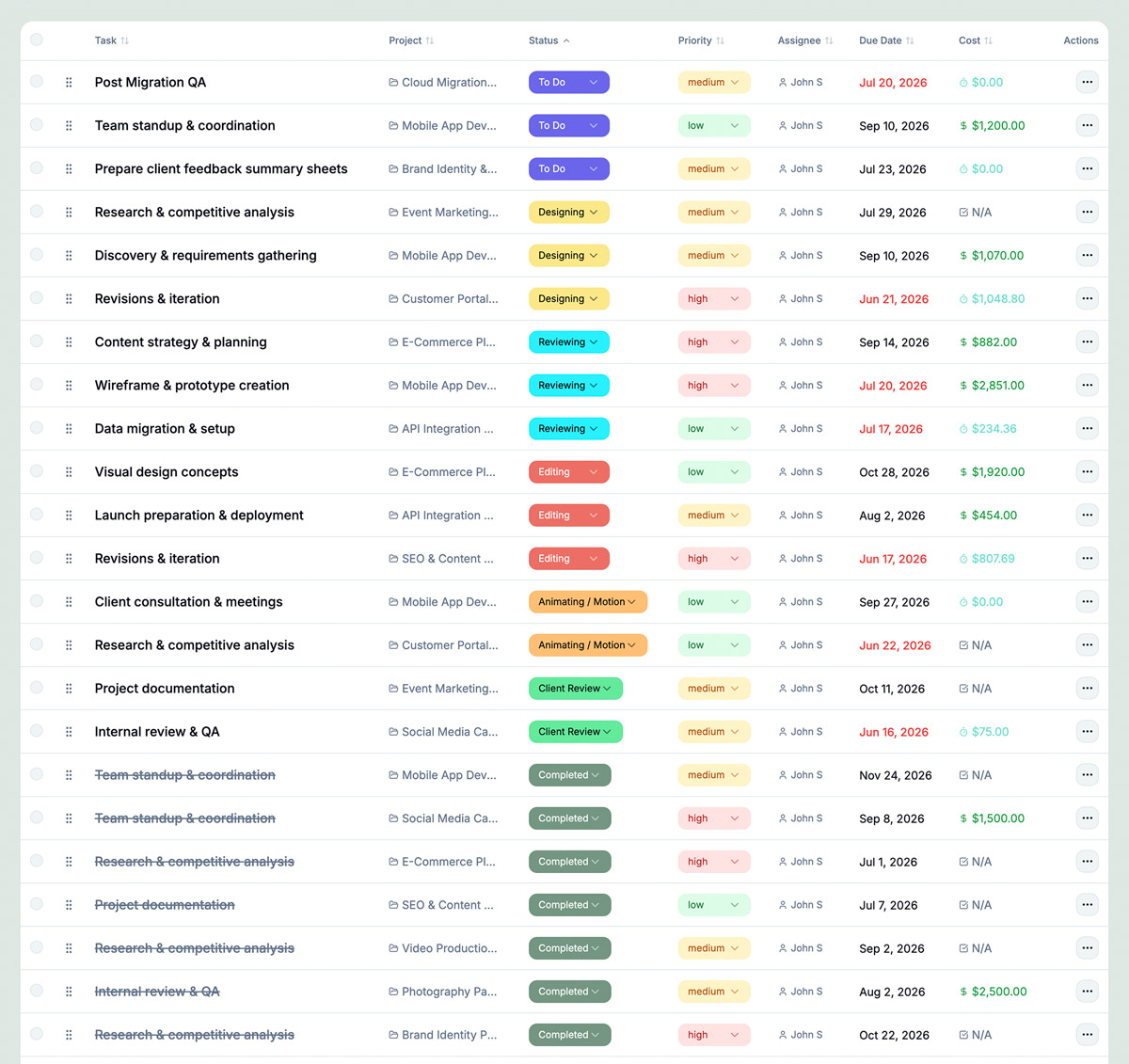
Tasks
Task management built for freelancers and small business owners.
Manage tasks across projects with clear priorities, flexible statuses, and start and due dates that keep work moving forward. Handle fixed price, hourly, non billable work, or use a custom modifier in one place, assign tasks to yourself or a small team, and turn completed tasks into invoice line items with built in pricing. With smart sorting, recovery options, and in app and email notifications, you always know what to work on next and what is ready to bill.
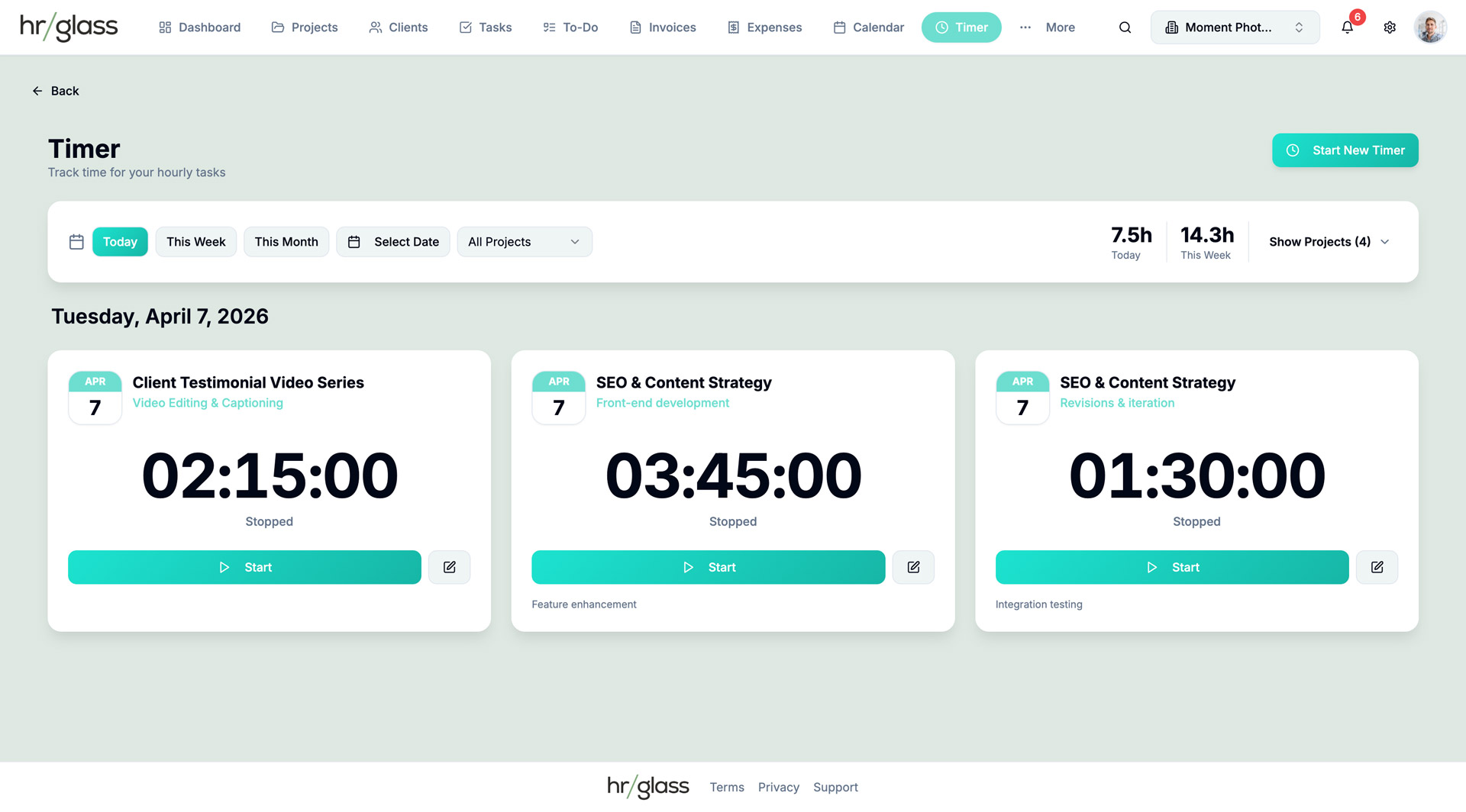
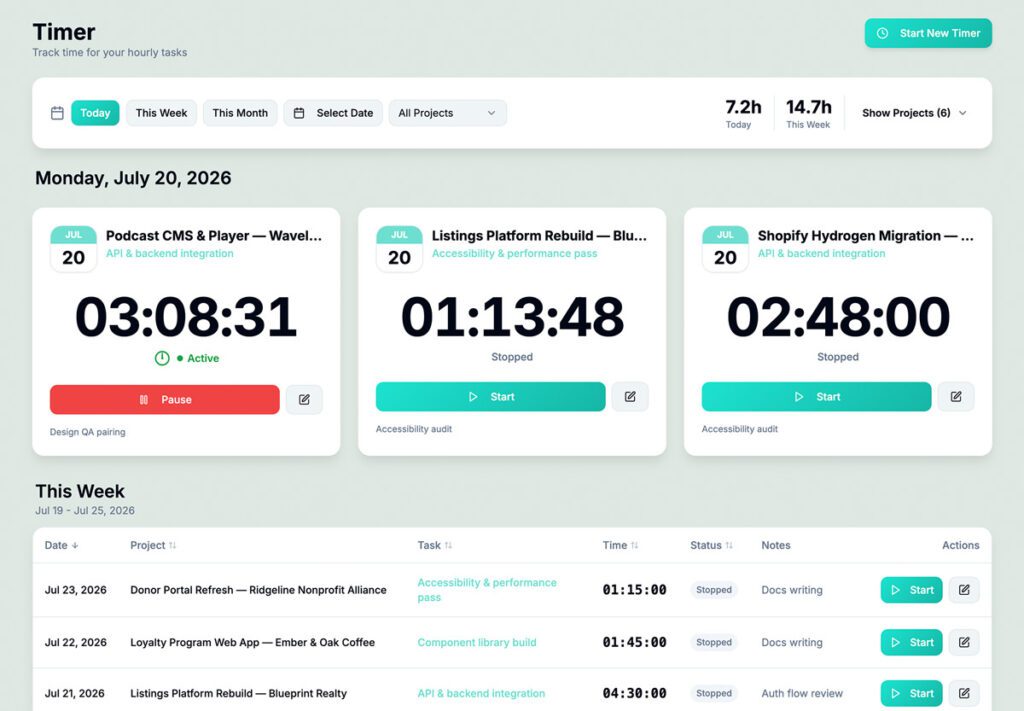
Time Tracking
Integrated Time Tracking and Direct Project Invoicing
Streamline your workflow with a versatile tracking suite that lets you run multiple timers on billable or non-billable tasks and convert those hours directly into professional project invoices. From detailed progress reports to manual time entries, it’s designed to help freelancers and small business owners capture every second of hard work and get paid exactly what they’re worth.
Invoicing
Invoicing that turns completed work into faster payments.
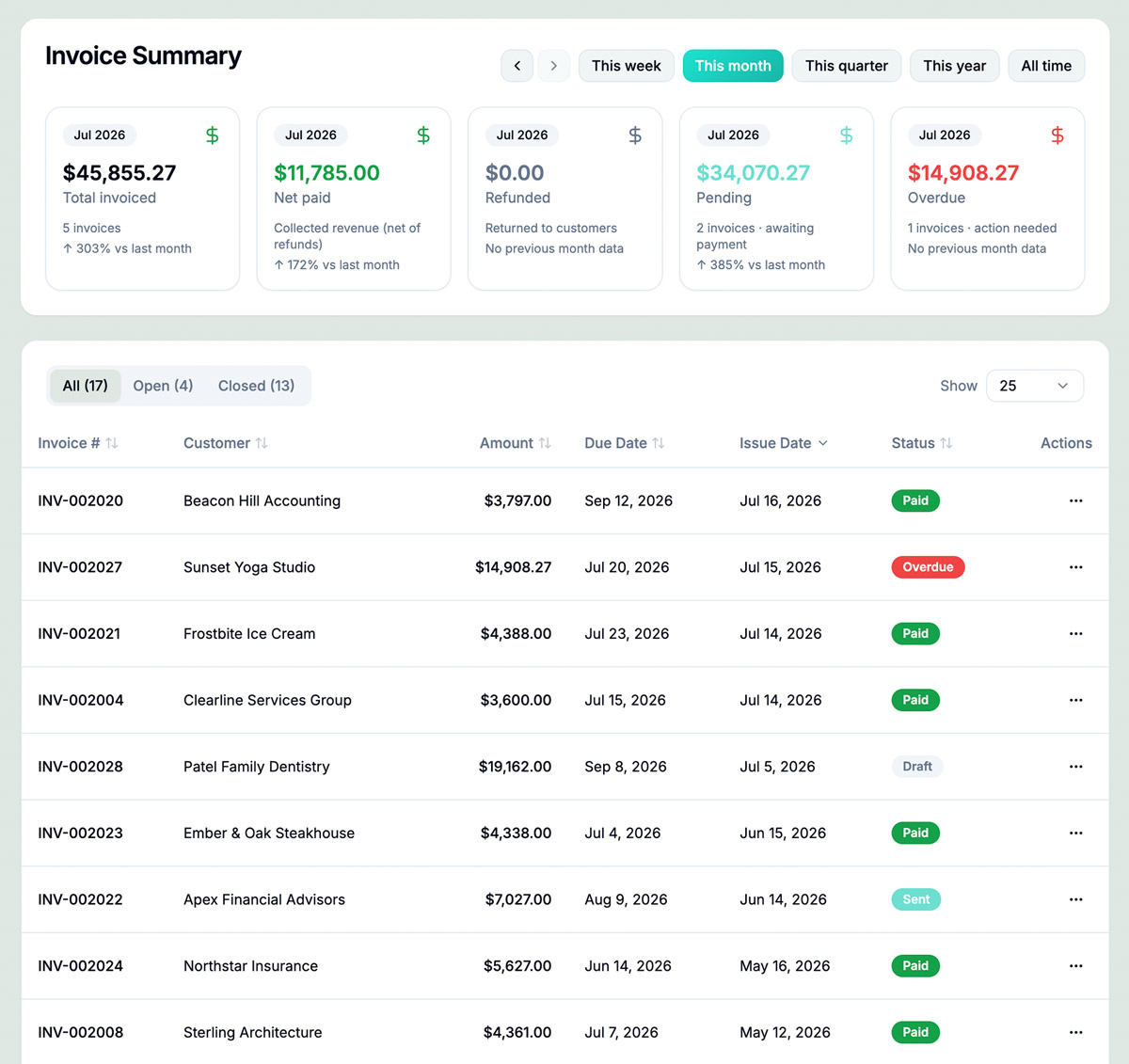
Create invoices directly from projects and tasks so billable work is always captured and nothing slips through the cracks. Track drafts, sent, paid, and overdue invoices in one clear dashboard, with real time status updates from Stripe and support for online and offline payments. Customize invoices with your branding, control payment terms and reminders, and give clients a simple way to view, pay, download, or print. Built for solo operators and small teams, it keeps invoicing accurate, professional, and easy to manage from start to finish.
Organize client work with budgets and deadlines.
Know exactly what’s billable, what’s done, and what’s overdue.
Start timers for any task and never lose a billable hour.
Generate invoices directly from Projects.
Quotes with line items, contracts, and auto-convert to project.
Track costs like milage, meals, and bill back to clients.
Personal tasks with reminders and priorities.
All deadlines in one unified view.
Fixed pricing for reusable services.
Run multiple businesses from one account.
Assign members to projects, tasks, to-dos and track progress.
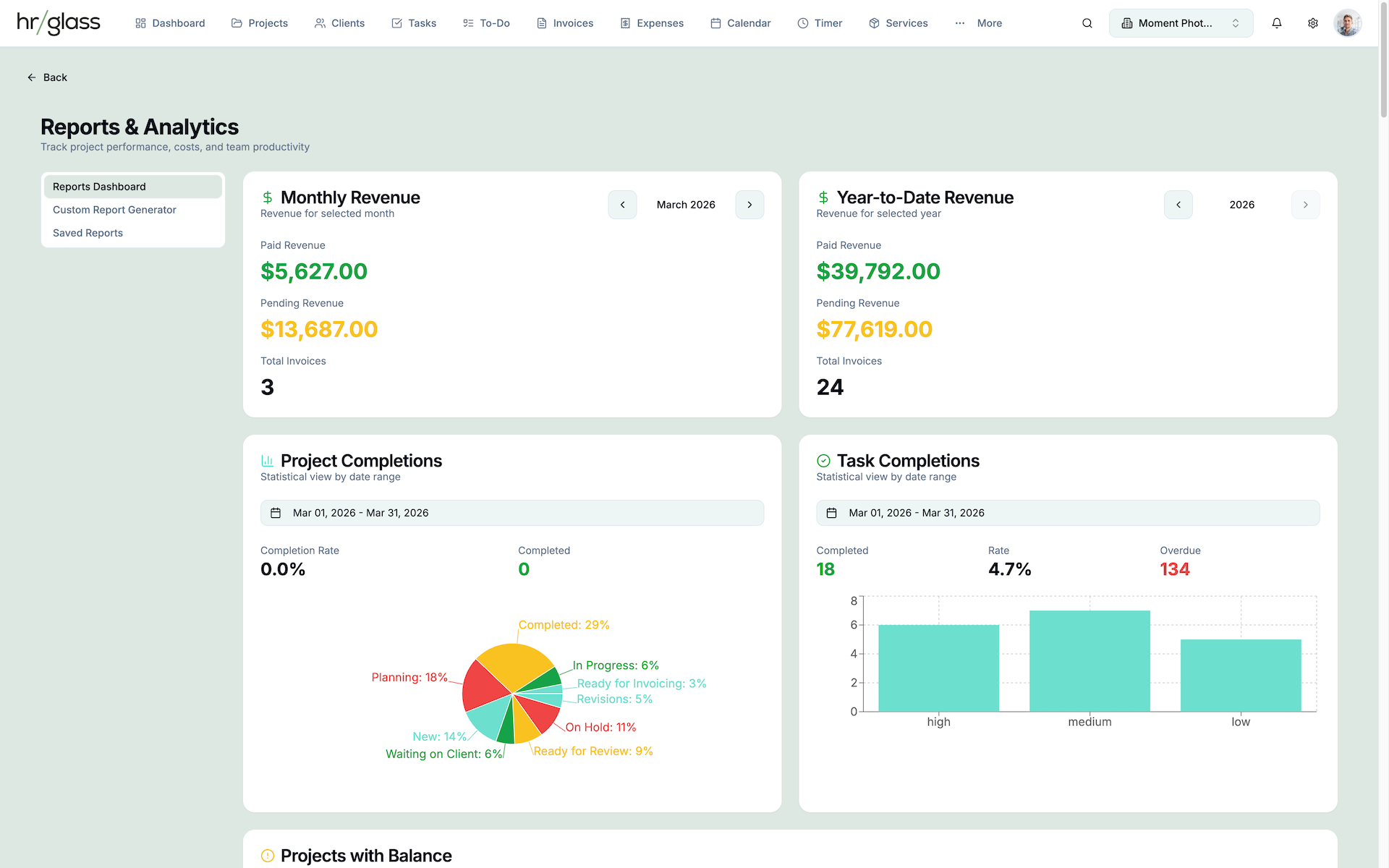
Understand profitability in real-time.
How it works
Go from tracking time to getting paid in three simple steps.
Track
Log time as you work on client projects
Invoice
Generate invoices from completed tasks
Get Paid
Clients pay online, you get notified
See it in action
A clean, intuitive interface designed for getting work done.
No paywalls on the tools you actually need.
Start with a 14-day Free Trial. No credit card required.
Pro
For Freelancers and Small Businesses
$20
/ month
Single seat only
Billed monthly
No credit card required
- All Features*
- Unlimited Projects
- Unlimited Tasks
- Unlimited Clients / Contacts
- Time Tracking
- Invoicing
- Expenses
- Estimates
- Services Pricing
- To-Do List
- Reports
- 1 Workspace
- Additional Workspace Add-on (+ $10/month)
* All Features includes everything hr/glass offers except Team specific tools.
Team
For Small Businesses with multiple users.
$15
seat /
month
2 seat minimum Total $30 / month
Billed monthly
No credit card required
Key features:
- All Features in Pro + Team Collaboration
- Add up to 10 members (seats)
- Assign Projects & Tasks
- Assign To-Dos
- Timesheet Approvals
- Expense Approvals
- Billing Rates Per Member
- Financial Visibility Control
- Role Permissions
- Progress Notifications
- Team Member Reports
- My Dashboard (per member)
- Pro Workspace Add-on (+ $10/month)
Pro
For Freelancers and Small Businesses
$16
/ month
Total $192 / year
Billed annually
No credit card required
- All Features*
- Unlimited Projects
- Unlimited Tasks
- Unlimited Clients / Contacts
- Time Tracking
- Invoicing
- Expenses
- Estimates
- Services Pricing
- To-Do List
- Reports
- 1 Workspace
- Additional Workspace Add-on (+ $10/month)
* All Features includes everything hr/glass offers except Team specific tools.
Team
For Small Businesses with multiple users.
$12
seat /
month
2 seat minimum Total $288 / year
Billed annually
No credit card required
Key features:
- All Features in Pro + Team Collaboration
- Add up to 10 members (seats)
- Assign Projects & Tasks
- Assign To-Dos
- Timesheet Approvals
- Expense Approvals
- Billing Rates Per Member
- Financial Visibility Control
- Role Permissions
- Progress Notifications
- Team Member Reports
- My Dashboard (per member)
- Pro Workspace Add-on (+ $10/month)
Ready to simplify your business?
Join thousands of service businesses managing everything in one place.
No credit card required. 14-day free trial.